How to Build MCP Agent: Architecture and Implementation Guide
Learn to build MCP agents for scalable workflow automation. Expert guide covering architecture, implementation patterns, production considerations, and platform trade-offs.
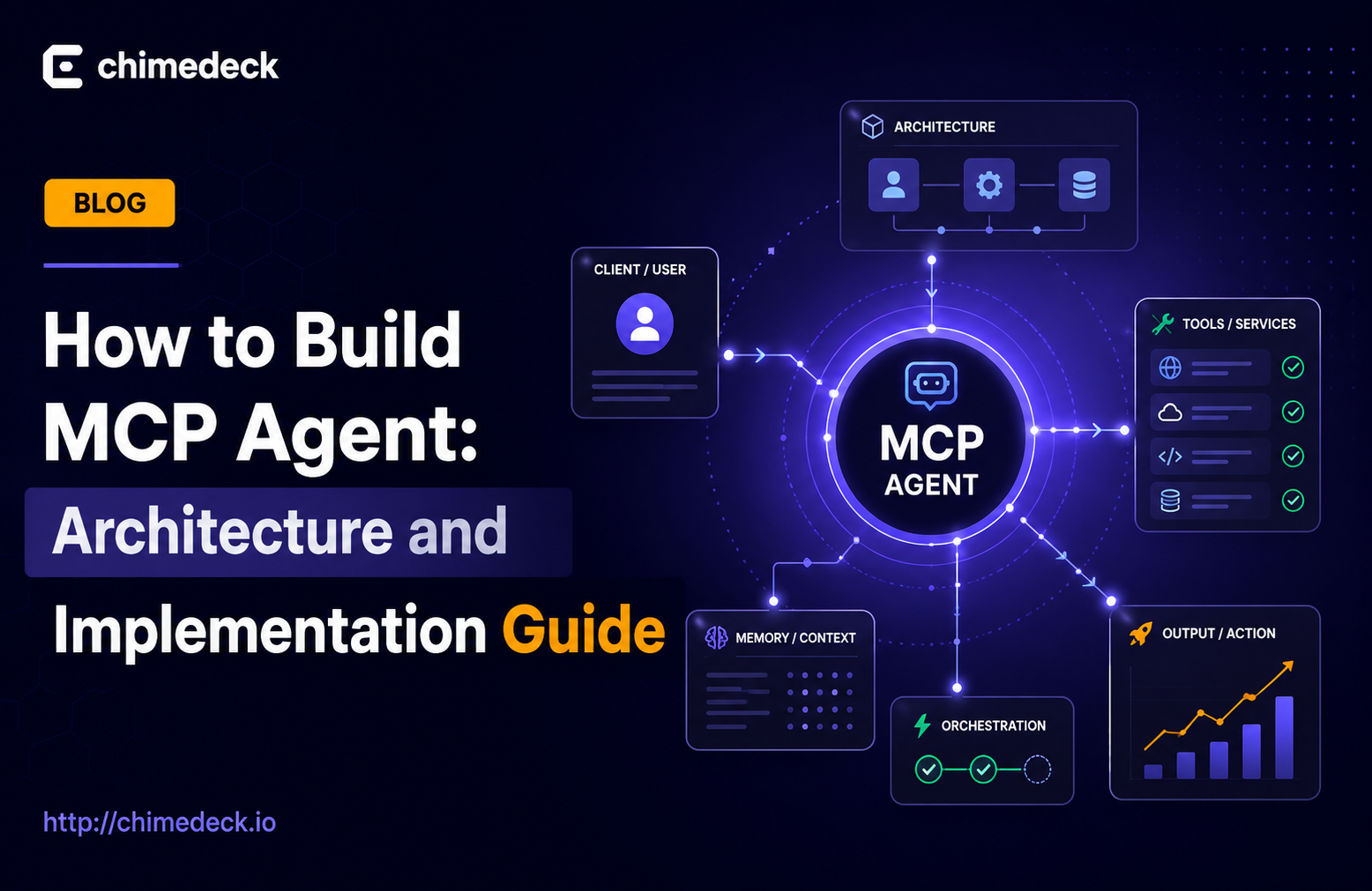
Building an MCP agent has become essential for teams that need more than template-based automation. Rather than forcing workflows into generic tool constraints, a custom MCP agent lets you define exactly how tasks move, prioritise, and escalate within your team's unique processes. The Model Context Protocol provides a standardised way to connect agents with external services, databases, and internal systems, but understanding how to architect one properly determines whether you end up with a flexible asset or fragile technical debt.
The gap between working prototypes and production systems is where most teams struggle. This guide walks through the strategic decisions and implementation patterns that separate working MCP agents from ones that scale with your team.

Why Building Custom MCP Agents Matters
Generic project management tools come with pre-built assumptions about how teams work. They enforce linear workflows, fixed field types, and standardised processes. When your team's actual operations diverge, you spend time fighting the tool instead of solving problems.
An MCP agent operates differently. It acts as an autonomous layer that responds to events, makes decisions based on context, and triggers actions without human involvement. Rather than constraining how work flows, the agent adapts to your processes. A scheduling system might automatically escalate overdue tasks. A content workflow could route assets based on completion status. A customer support queue might prioritise tickets by sentiment and urgency simultaneously.
This flexibility comes from treating the agent as a logical layer separate from the interface layer. The agent contains your business rules. The interface shows the results. This separation means you can change how decisions happen without redesigning the tool itself.
Teams building custom agents often start because they have specific operational needs that off-the-shelf tools can't address. Agencies managing multiple clients need different billing rules per project. Product teams want release workflows that enforce code review before deployment. Operations teams need incident response flows that automatically gather context and notify relevant people. These aren't edge cases or future features requested from support. They're core to how the team operates.
=>>> Read More: MCP Agents: Automate Workflows Without Custom Integration
The Core Architecture of an MCP Agent
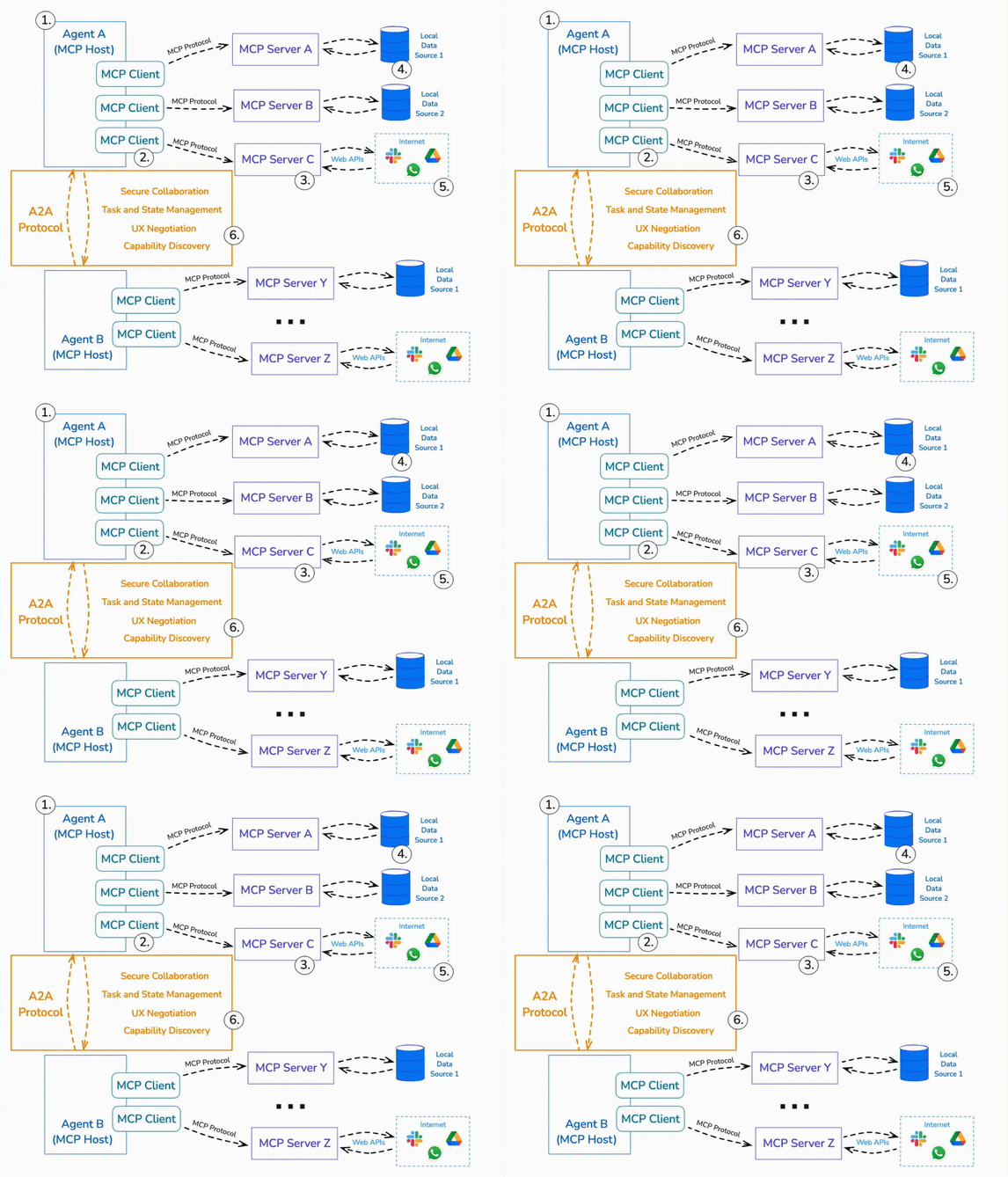
Understanding how MCP agents work starts with grasping the protocol itself. MCP defines a standard interface that allows AI Project Management Software agents to discover and interact with external resources and tools. It's not prescriptive about agent logic. It's prescriptive about how agents talk to services.
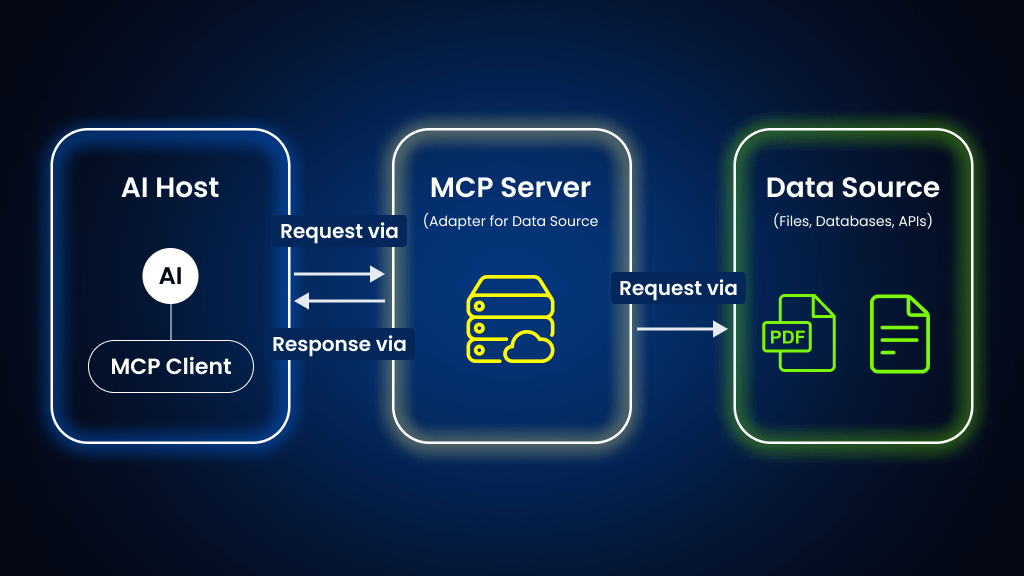
An MCP agent typically consists of three components working together. First, you have the agent itself, which contains the decision logic. This is often built with frameworks like Pydantic AI or using Claude directly through the API. The agent receives input about a situation and determines what actions to take. Second, you have MCP servers that expose capabilities. These run separately and provide tools, resources, and knowledge the agent can access. Third, you have your systems of record, databases, and external services that the MCP servers connect to. The agent orchestrates the flow between discovering what's possible and deciding what to do.
This three-part architecture matters more than it initially appears. By separating the agent from the resources it uses, you gain several advantages. The agent logic can evolve without rebuilding infrastructure. New services can be plugged in by creating additional MCP servers. Multiple agents can share the same MCP resources. You can test agent logic in isolation. Different teams can own different parts of the system without constant coordination.
The protocol handles capability discovery. When an agent starts, it queries each MCP server to understand what tools and resources are available. It learns the exact format expected for each tool, any constraints, and what output to expect. This standardisation means agents can dynamically adapt to new capabilities without code changes.
=>>> See More: MCP Agent Repos: Building AI Workflows at Scale
Building a Functional MCP Agent Step by Step
Creating a working agent requires more than understanding the architecture. You need to handle the practical details of setup, integration, and testing.
Start by establishing your development environment. You'll need a way to run MCP servers locally and a way to test your agent logic. Many teams use Python with libraries like stdio-based MCP implementations, though you can use Node, Go, or Rust depending on your existing infrastructure. The choice matters less than having a clear local development loop. You should be able to spin up a test environment in under a minute.
Next, define what your agent actually needs to do. This means listing the MCP resources it requires. If your agent manages project tasks, it needs read access to task state, permission to update tasks, and visibility into team members and their current assignments. If it's handling customer support, it needs access to ticket systems, customer history, and internal knowledge bases. Document these requirements clearly because they become your MCP server spec.
Then build or connect your MCP servers. If you're extending existing systems, you might wrap database queries or API endpoints in an MCP-compliant interface. If you're building from scratch, you're defining tools that expose business logic. A tool might read all open tasks for a specific project. Another tool might update a task's status and send notifications. Another might extract context from documentation. Each tool is a discrete capability the agent can call.
The agent itself is where you define decision logic. Give it a clear system prompt that describes its role and constraints. A task management agent might be instructed to only escalate tasks when specific conditions are met, to respect team member availability, and to avoid creating duplicate work. Test the agent against realistic scenarios. Feed it situations that resemble actual operational events and verify the decisions it makes are sound.
Version control matters here. Your agent prompts, tools, and MCP server logic should all be treated as code. Track changes. Build release processes. You'll iterate on decision logic as you learn what works, and you need the ability to roll back quickly if an agent change causes unexpected behaviour.
=>>> Related Post: MCP and Agentic AI: Building Scalable Workflow Systems
Real-World Implementation Considerations
Building a prototype is different from running an agent in production. Several practical concerns emerge once real workflows depend on agent decisions.
Error handling becomes critical. MCP servers can be slow or temporarily unavailable. Network calls fail. Tool executions throw errors. Your agent needs to handle these gracefully without leaving tasks in inconsistent states. Design patterns matter. You might implement a queue system where the agent submits actions for execution rather than making direct calls. If an execution fails, you retry. If it keeps failing, you escalate to a human. This resilience layer often accounts for 20 to 30 percent of agent code.
Cost of computation adds up at scale. Each agent decision involves API calls, database queries, and model inference. If your agent runs 10,000 times per day across your team, small inefficiencies become significant. Batch operations when possible. Cache decisions where appropriate. Monitor the cost of running your agent alongside its value delivery. Some teams find that agents are cost-effective for high-frequency, low-complexity decisions but less so for nuanced judgement calls.
Agent decisions need visibility. When an agent takes action, your team needs to understand why. Logging agent reasoning, the tools it called, and what information it used in decision-making is essential for debugging and for building confidence. Many production issues stem not from agent logic being wrong but from the agent making correct decisions based on incorrect information it received from tools.
Bounded scope prevents runaway automation. It's tempting to make agents increasingly powerful and autonomous. Resist this. Narrow, well-defined agents that handle specific scenarios are easier to monitor, debug, and adjust. An agent that only escalates overdue tasks is simpler and safer than an agent that reassigns work, adjusts timelines, and communicates with clients simultaneously.
MCP Agents in Production Workflow Systems
Successful MCP agents exist within larger workflow systems, not in isolation. This changes how you design them.
The agent becomes one layer in a multi-layer stack. Humans create tasks and set constraints. The agent monitors, makes suggestions, and takes automated actions within boundaries. Humans review agent decisions, override when necessary, and provide feedback that improves future decisions. This hybrid approach outperforms pure automation or pure manual work.
Integration with your existing systems determines adoption. An MCP agent that lives in isolation, generating reports no one looks at, adds no value. An agent deeply wired into where your team actually works matters. If your team lives in Slack, notifications and interactions should happen there. If critical tasks flow through your project management system, the agent should update status there. If documentation matters, the agent should link to relevant pages.
Team collaboration becomes simpler when agents are workflow-aware. Instead of teams debating what the next step should be, an agent with transparent logic can propose it. Teams can agree on decision rules once, then rely on consistent application. This removes repetitive decision-making and frees mental energy for genuinely novel problems.
The agent can also enforce consistency across teams. If you have multiple teams handling similar types of work, a central agent with consistent rules prevents divergent practices. One support team might escalate tickets differently from another, but a shared agent can apply the same criteria everywhere.
=>>> Read More: What is an MCP Agent? Model Context Protocol Explained
Choosing Between Building vs Platform-Based Approaches
At some point, teams face a choice: continue building custom agent infrastructure, or adopt a platform designed for MCP-based workflows.
Custom-built agents give you complete control. You define the decision logic, control every integration point, and can optimise for your exact use case. This appeals to teams with unique workflows or teams that already have significant technical infrastructure. The cost is ongoing maintenance. Your team owns the operational burden of keeping the agent running, updating it as systems change, and debugging failures. Small teams often underestimate this cost.
Platform-based systems like Chimedeck handle the infrastructure layer, focusing your effort on defining workflow rules rather than managing agent systems. Instead of building and maintaining MCP servers, you configure them. Instead of debugging communication failures between components, the platform handles it. Instead of writing escalation and error-handling logic, the platform provides patterns you follow. For teams that want agent-driven workflows without becoming infrastructure experts, this shifts the economics significantly.
The hidden cost in custom systems is iteration velocity. Your agent works well initially, but real workflows reveal edge cases. You adjust the logic. You add new capabilities. Each change requires careful testing and deployment. Platform-based systems separate the workflow definition from the execution infrastructure, so you can iterate on what your agent does without touching what makes it run. This matters more as you scale.
Team composition influences the decision too. If your team includes infrastructure engineers comfortable owning agent systems, custom-built might make sense. If your team is product and operations focused, managing agent infrastructure distracts from your core work. Platforms let operations teams define workflows without requiring infrastructure expertise.
Cost also evolves differently. Custom agents have infrastructure costs that scale with usage. Platform systems often have fixed or predictable costs. For teams managing dozens of teams or hundreds of workflows, platform economics become significantly more attractive than custom infrastructure.
The strategic consideration is what problem you're actually solving. If the problem is building a novel agent architecture that becomes a competitive advantage, invest in custom systems. If the problem is implementing consistent, scalable workflows across your team, platform-based approaches often deliver faster results.
Chimedeck - MCP Task Management Platform
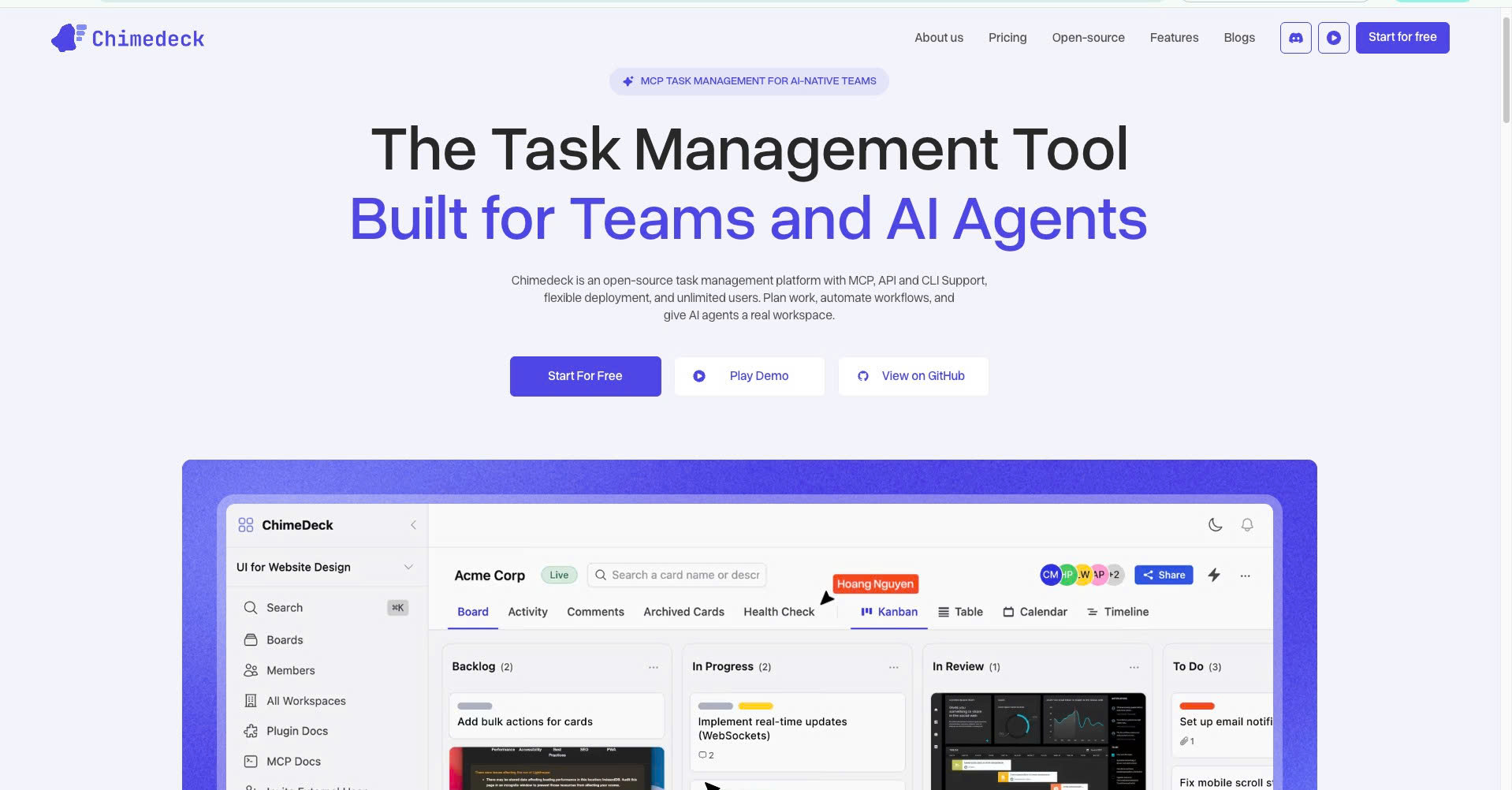
Chimedeck is an MCP-native task management platform built for organizations that want to coordinate both human teams and AI agents within a single workflow system.
Unlike traditional project management software, Chimedeck is designed from the ground up to support the Model Context Protocol (MCP), enabling AI agents to securely create tasks, update statuses, manage priorities, and participate in operational workflows alongside human team members.
Beyond AI integration, Chimedeck delivers a complete suite of task management capabilities, including Kanban boards, calendars, project planning, workflow automation, role-based permissions, and team collaboration features. Organizations can choose between cloud-hosted and open-source deployment options, giving them the flexibility to customize workflows, integrations, and business processes without vendor lock-in or per-seat pricing limitations.
As companies increasingly adopt agentic workflows and AI-powered operations, Chimedeck serves as the operational layer that connects tasks, teams, and AI agents. Today, it stands among the most comprehensive MCP-compatible AI task manager platforms for organizations building the future of work.
=>>> Read More: Can MCP Be Used for Agent-to-Agent Communication?