What is MCP Server AI Agents: Architecture, Use Cases & Adoption
Learn what MCP servers are, why they're becoming the industry standard for AI agent integration, and when teams should adopt them for scalable workflows.
Most teams managing AI agents face the same problem: as they scale their AI capabilities, they end up building the same tools and integrations multiple times across different systems. An agent in one department needs access to the same CRM data as an agent in another. A team integrating with Slack replicates work that another team already completed with Discord. This fragmentation consumes engineering effort, creates inconsistency, and becomes nearly impossible to govern.
The Model Context Protocol and the rise of MCP servers represent a shift in how teams approach tool integration for AI agents. Rather than building point solutions for each agent, MCP servers provide a standardised way to define, share, and access capabilities. Understanding what MCP servers are and why they matter is becoming essential for any team building agent infrastructure.

What is an MCP Server in the Context of AI Agents
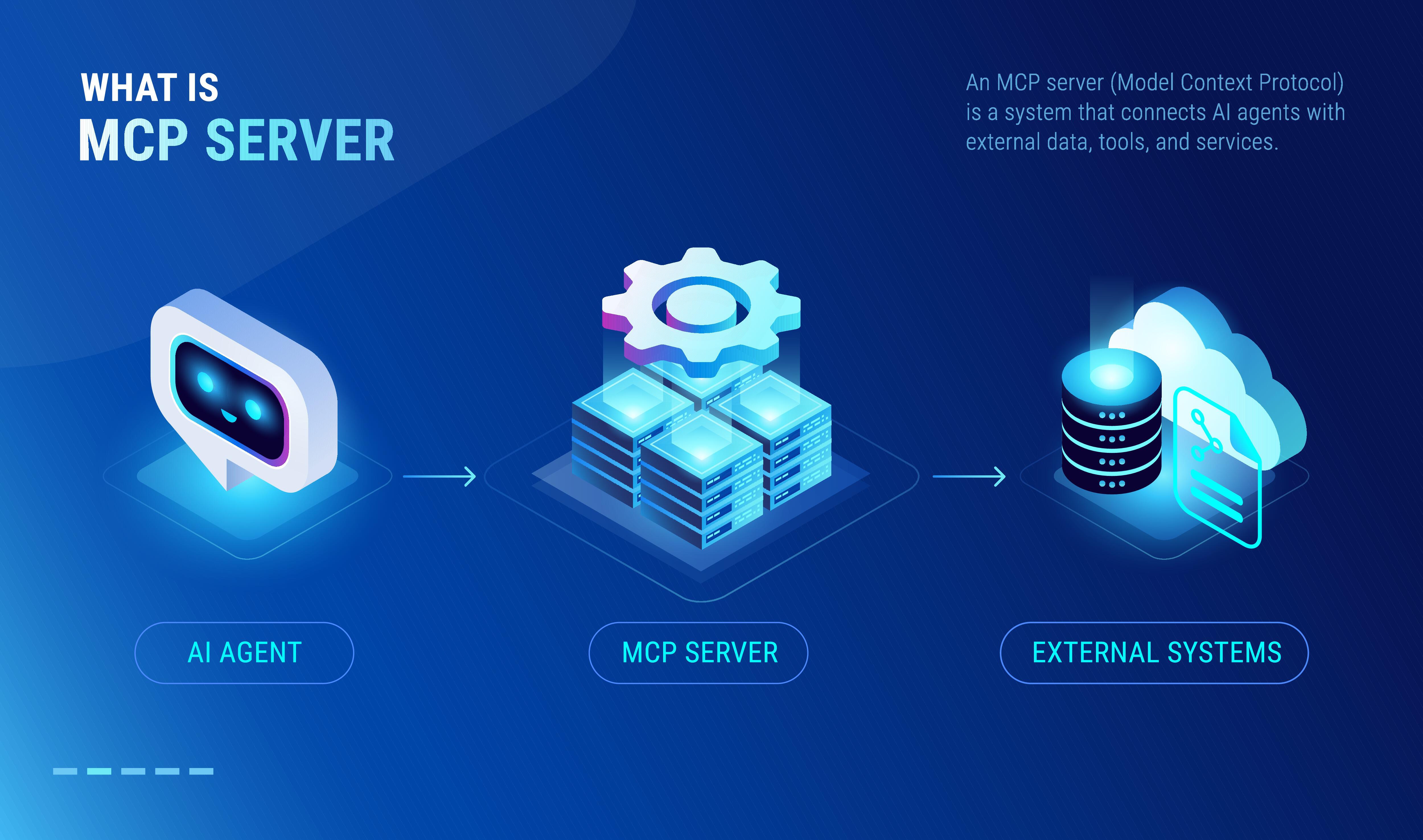
An MCP server is a standardised interface that exposes capabilities (called "tools" or "resources") to AI agents. At its core, an MCP server implements the Model Context Protocol, a specification that defines how MCP agents can discover, request, and use external capabilities.
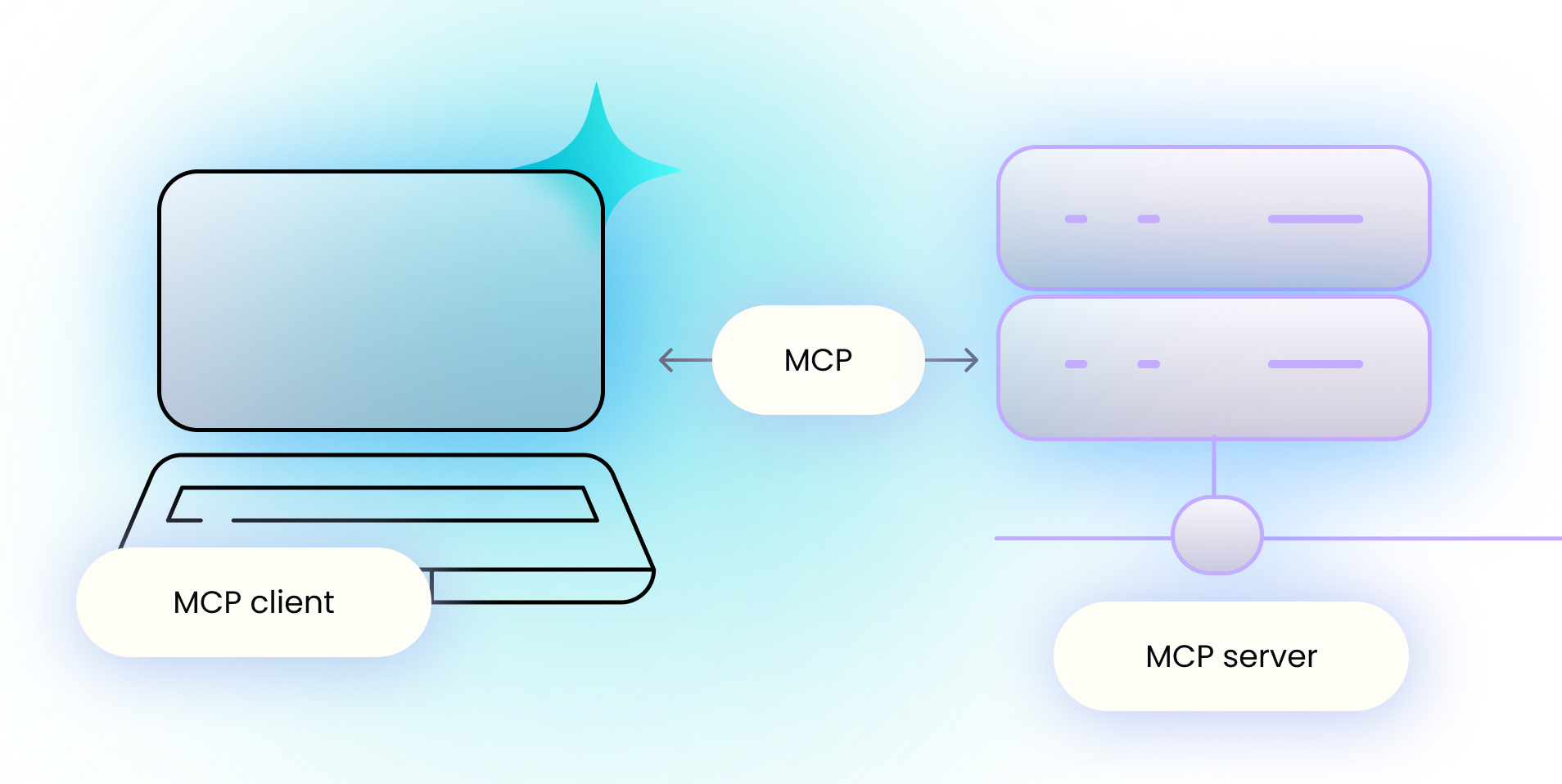
Think of an MCP server as a bridge between an AI agent and an external system. Instead of an agent calling an API directly, it communicates through an MCP server. This server handles the protocol negotiation, formats requests and responses consistently, and manages authentication and access control. The agent itself doesn't need to know about the underlying API details. It simply asks the MCP server for what it needs.
Practically, an MCP server can expose three types of capabilities to AI agents. Tools are actions the agent can perform, like querying a database or sending an email. Resources are information the agent can read, such as documentation or configuration data. Prompts are template instructions that help the agent approach tasks in a specific way. A single MCP server might expose tools from a database system, resources from your internal knowledge base, and prompts that define how your team prefers agents to behave.
The key distinction is that MCP servers are protocol-agnostic. They work with Claude, OpenAI models, local models, and other AI systems. They can run locally on a developer's machine or be deployed to cloud infrastructure. This flexibility is why MCP servers have become the standard for enterprise agent deployments.
=>>> Read More: MCP Agent Repos: Building AI Workflows at Scale
Why MCP Servers Have Become the Industry Standard
The adoption of MCP servers across major platforms—Claude, OpenAI's assistants, Slack, GitHub Copilot, and others—suggests a fundamental shift in how agent infrastructure is being built.
Historically, teams integrated AI agents with external systems ad hoc. If you had two agents from different vendors, each would need its own integration code. Scaling this approach across a large organisation meant duplicating tool definitions, managing inconsistent authentication, and maintaining multiple integration layers. The complexity grew linearly with the number of agents and systems.
MCP servers invert this problem. Instead of each agent maintaining its own integrations, you define tools once in an MCP server, and any agent can consume them. This eliminates duplication, reduces maintenance overhead, and creates a single source of truth for how agents interact with external systems.
The standardisation also matters for vendor independence. By implementing the Model Context Protocol, your team isn't locked into a specific AI platform. If your preferred agent vendor changes, you don't need to rewrite integrations. Your MCP servers remain compatible across the ecosystem.
Cost efficiency is another factor. Research from Anthropic shows that using MCP servers for code execution can reduce token consumption by up to 98.7 per cent compared to agents managing code directly. For large-scale agent deployments, this translates to substantial infrastructure savings.
=>>> Related Post: MCP and Agentic AI: Building Scalable Workflow Systems
How MCP Servers Work: The Architecture
Understanding how MCP servers function helps clarify why they've become central to agent infrastructure.
An MCP standard implementation involves three components. The MCP client is typically integrated into your agent framework or application. It handles the protocol communication with MCP servers on behalf of the agent. The MCP server is the system exposing tools, resources, and prompts. It implements the protocol specification and manages the lifecycle of available capabilities. The transport layer can use different protocols: JSON-RPC over stdio for local processes, HTTP for remote servers, or other mechanisms depending on your deployment model.
When an agent needs to perform an action, the client sends a request to the server describing what capability is needed. The server responds with the result. If the server needs to authenticate with a third-party system, it handles that internally. The agent never sees the underlying credentials or API complexity.
This separation of concerns is why MCP scales. You can have multiple MCP servers running independently—one for database access, another for email, another for document retrieval. Each server can be maintained by a different team, use different authentication methods, and be deployed independently. The agent and the client don't care about these details. They only interact with the standardised interface.
For remote deployments, MCP servers can run on container platforms, serverless functions, or dedicated infrastructure. This allows teams to build agent capabilities alongside their other infrastructure without forcing everything into a single monolithic system.
When Teams Should Adopt MCP Servers
Not every team needs MCP servers immediately. The decision depends on your deployment context and growth trajectory.
If you're building a single agent with a handful of integrations, custom integration code might be sufficient. MCP adds a layer of abstraction and requires implementation overhead. The benefits only become clear when you're managing multiple agents, multiple teams, or anticipating rapid growth.
However, if you're already managing more than one AI agent, or if different parts of your organisation are building agent capabilities independently, MCP servers address a real problem. They prevent duplicate work, enforce consistency across agent deployments, and make it easier for teams to share capabilities.
For regulated industries or enterprises requiring audit trails and governance, MCP servers provide a single point where you can enforce policies. Instead of auditing dozens of point integrations, you audit tool access at the server level.
The timing question often comes down to this: if you're planning to scale agent deployments in the next 6 to 12 months, investing in MCP server infrastructure now prevents rework later. If you're still in early experimentation, you might build your first agent without MCP and refactor into MCP servers as patterns emerge.
Building vs Consuming: A Practical Decision
Once you've decided MCP servers make sense for your organisation, you face a second choice: should you consume existing MCP servers or build your own?
The easiest path is consuming existing MCP servers. If open source implementations or vendor-provided MCP servers cover your use cases, you save engineering effort. Major cloud providers and platforms now publish MCP servers for their services. The Azure MCP Server, for example, provides tools for managing cloud resources. Using these servers means your agents can immediately access those capabilities without building integrations yourself.
You should build your own MCP server when you need to expose internal systems, custom business logic, or proprietary tools to agents. Building is also necessary if existing servers don't cover your use cases. The effort of building a server is justified if multiple teams or multiple agents will use the capabilities.
A hybrid approach is common: consume published servers for commodity services (cloud APIs, common data sources) and build servers for your bespoke systems. This balances time-to-value with customisation.
Governance and Enterprise Considerations
As organisations scale agent deployments, governance becomes critical. MCP servers provide a natural governance layer.
Access control is straightforward: each MCP server can implement authentication and authorisation independently. You decide which agents, teams, or users can invoke specific tools. Audit logging happens at the server level. If you need to track who accessed customer data via an agent, the MCP server can log each request.
Security practices align with MCP architecture. Sensitive operations can be restricted to specific MCP servers running in secured environments. A database MCP server might only be accessible from agents running within your VPC. An external API server might require additional authentication headers.
For data governance, MCP servers become a policy enforcement point. If your compliance requirements dictate that only authorised systems can access customer data, you enforce that rule once at the MCP server level rather than trying to enforce it across dozens of agent implementations.
Tool versioning and lifecycle management also simplify. When you need to deprecate a tool or change its behaviour, you update the MCP server. Agents automatically get the new version without code changes. This prevents the fragility that comes from coupling agents directly to APIs.
About Chimedeck - MCP Task Management Platform
Chimedeck is an AI-ready workflow and task management platform built for the next generation of work.
While most project management tools focus solely on human collaboration, Chimedeck is designed to support both human teams and AI agents operating within the same workflow environment. Organizations can manage tasks through customizable Kanban boards, calendars, project views, permission systems, and workflow automation features while maintaining complete control over how work gets done.
Available as both a cloud-hosted solution and an open-source platform, Chimedeck gives businesses the freedom to customize workflows, data structures, integrations, and operational processes without vendor lock-in or per-seat pricing constraints.
Through native MCP integration, Chimedeck enables AI agents to interact with business workflows in a structured and secure manner. Agents can create tasks, assign work, track progress, update statuses, and collaborate with human team members as part of larger automated systems.
As AI agents become an increasingly important part of modern operations, Chimedeck helps organizations bridge the gap between traditional task management and intelligent workflow orchestration.