MCP Agents: Automate Workflows Without Custom Integration
Learn how MCP agents help teams automate multi-tool workflows at scale. Explore cost models, when agents make sense, and building with open-source platforms.
If you have tried to scale a team in the last year, you have probably felt the friction of your current tools. Project management platforms become bottlenecks. Communication fragments across channels. Manual work multiplies. This is where the conversation around MCP agents keeps surfacing, and for good reason.
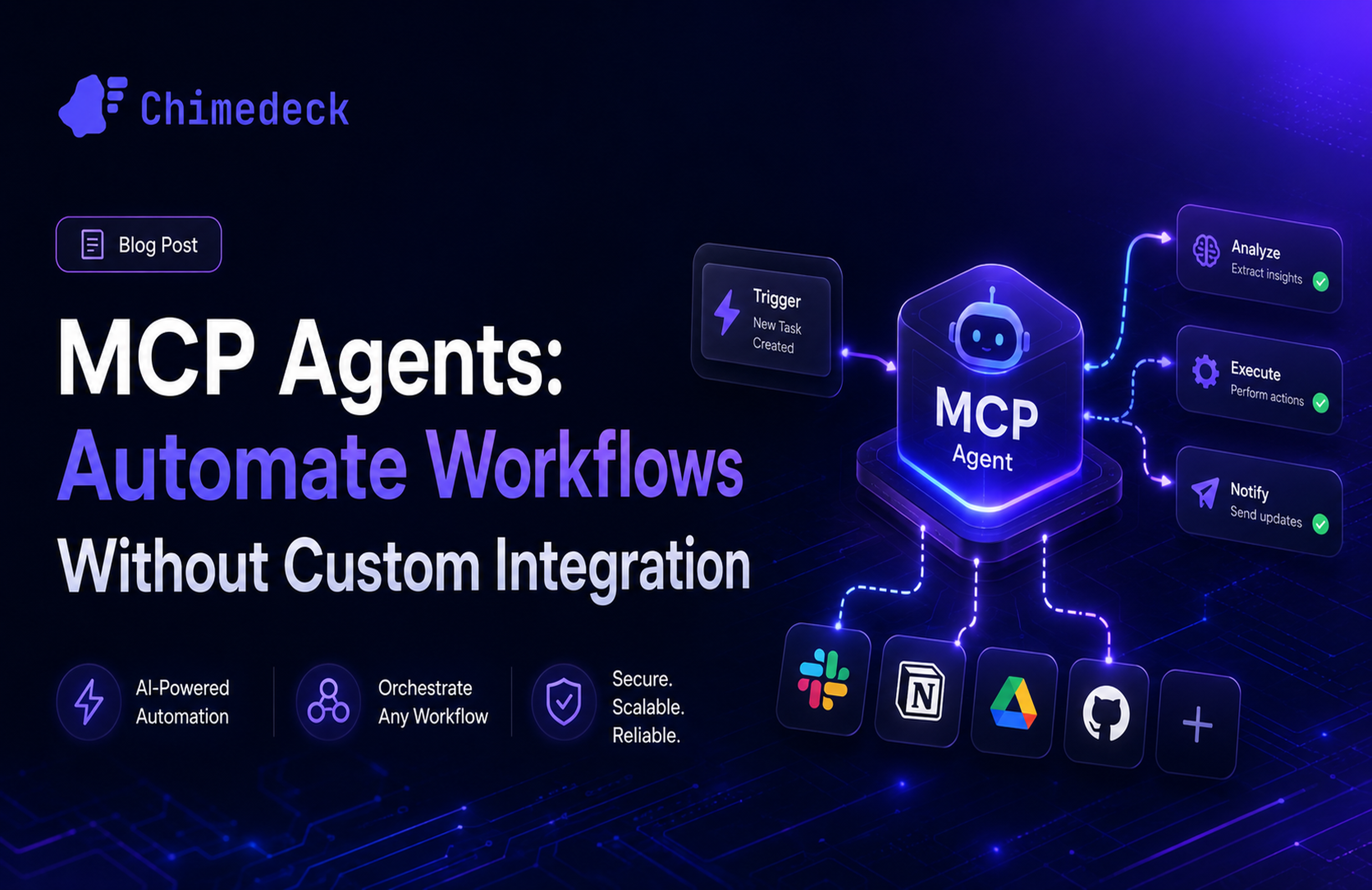
An MCP agent is an AI-powered workflow system that can interact with multiple tools and services simultaneously, making decisions and taking actions based on defined instructions. The Model Context Protocol (MCP) is the standardized interface that lets these agents plug into your existing systems without custom integration work. For teams already stretched thin, this matters because it removes one of the biggest barriers to automation: the integration tax.

Why teams are adopting MCP agents
The shift toward MCP agents reflects a deeper problem in how teams operate. As your team grows, the ratio of manual work to productive work tends to get worse, not better. You add communication overhead. You introduce handoff points. You create more data that needs to be kept in sync across systems. Traditional automation tools either require engineering time to build integrations or force you into a locked ecosystem.
MCP agents change the equation. Because MCP is an open protocol championed by Anthropic, it has become the connective tissue between AI systems and business tools. Instead of building point-to-point integrations, you describe what you want the agent to do, and the agent figures out which tools to use and in what sequence. This is fundamentally different from traditional workflow automation that requires explicit rule definition.
Teams are adopting this approach because it distributes the complexity. Your developers do not need to build integration logic. Your operators do not need to manage complex rule engines. The agent itself handles the coordination, which means you can deploy new workflows faster and adapt them when business priorities shift.

=>>> Related Post: MCP and Agentic AI: Building Scalable Workflow Systems
What MCP agents actually do
An MCP agent works by accepting a task or request, examining the tools available to it through MCP servers, and then executing a sequence of actions to complete that task. Let me walk through what this means in practice.
Say your marketing team needs to pull data from three different systems for a campaign report: analytics from one platform, customer feedback from another, and budget information from a third. Normally, someone would log into each system, export data, combine it in a spreadsheet, and manually check for inconsistencies. An MCP agent can do this automatically. It would query each system, consolidate the results, flag anomalies, and present clean data ready for analysis.
The key insight is that the agent does not do this by running a pre-written script. It understands the goal, evaluates the available tools, and reasons through the best sequence of actions. If one approach does not work, it can try another. If it encounters a situation it needs clarification on, it can ask. This flexibility is what makes MCP agents different from simpler automation tools.
In practice, teams use MCP agents for work like customer support (routing and prioritising tickets), content operations (publishing across channels), data operations (extracting and validating data), and internal workflows (provisioning access, managing approvals). The common thread is that all these tasks involve multiple systems and benefit from a system that can reason about how to orchestrate them.

When MCP agents make sense for your team
Not every team needs an MCP agent. If your workflow is simple, linear, and changes rarely, traditional automation will serve you better. But if you fit any of these scenarios, MCP agents become worth serious consideration.
You have repetitive, multi-step work that touches multiple tools. Anything that involves pulling from one system, transforming data, and pushing to another is a candidate. Most teams have at least one process like this, whether it is generating reports, syncing customer data, or updating project statuses across platforms.
Your team is growing faster than your tooling. As you hire, manual processes do not scale linearly. Handoffs multiply. The time cost of coordination explodes. MCP agents can absorb much of this friction because they execute at machine speed without context switching.
You want to reduce reliance on a single tool vendor. MCP is designed to work across platforms. If you use a mix of best-of-breed tools rather than an all-in-one suite, MCP gives you a unified coordination layer that works across your whole stack.
Your team is distributed and asynchronous. When people are in different time zones, synchronous hand-offs kill productivity. An MCP agent can handle coordination work 24/7, which means decisions get made and work progresses even when your team is offline.
=>>> Read More: MCP Agent Repos: Building AI Workflows at Scale
The cost and efficiency angle
Most writing about MCP agents focuses on technical architecture. What gets overlooked is the financial reality. When you adopt an MCP agent, you are making a bet on cost reduction through automation. That bet only pays off if you have done the math first.
Consider a small team spending 5 to 10 hours per week on data reconciliation work. At a fully loaded salary cost of roughly 50 to 100 dollars per hour, that is 250 to 1000 dollars per week of pure labour cost you could reclaim. If an MCP agent implementation costs a few thousand dollars upfront and a few hundred per month to run, the payback period is measured in weeks, not quarters.
But cost goes beyond labour. There is also the cost of error. When people do repetitive work, mistakes happen. These mistakes compound when they flow into other systems. A reconciliation error might not surface for days, by which time it has affected dozens of downstream decisions. An MCP agent executes the same process identically every time, eliminating the human variance that creates errors and the audit cost of catching them.
The efficiency gain also comes from speed. A process that takes a person 30 minutes can often be executed by an agent in 30 seconds. This matters especially for operations that block other work. If a customer support team has to wait for a manual data lookup before they can resolve a ticket, every second of delay is a customer kept waiting. An agent removes that delay entirely.
The question to ask is not "can we afford an MCP agent" but "can we afford not to automate this work as our team grows?" Most teams find that once they have implemented one agent successfully, they identify a second and third. The compounding efficiency gain is where the real value emerges.
Building scalable workflows with MCP integration
Implementing an MCP agent requires thinking beyond the tool itself. You need a system that connects your agents, your teams, and your core workflows into something coherent. This is where many teams struggle. They adopt an MCP agent for one process, it works well, and then they realise they have no way to manage multiple agents or to give their team visibility into what the agents are doing.
The best use of MCP agents is not as isolated point solutions but as part of a broader workflow platform. You want a system where agents can be defined alongside your human tasks, where team members can see what agents are doing, where you can set guardrails on what agents are allowed to do, and where you have a record of every action taken.
This is where Chimedeck comes into the picture. As an open source Trello alternative, Chimedeck is built to handle complex, multi-layer workflows. You can define boards and lists for your human team, build MCP agent workflows alongside them, and manage everything from a single interface. Because Chimedeck supports unlimited users and flexible deployment, you can give your whole team visibility into agent activities without the per-seat cost that traditional tools impose.
More importantly, Chimedeck's AI-powered workflows mean you can embed agent logic directly into your operational system. Instead of running agents as separate processes that push results back into your tools, you define the workflow once in Chimedeck and let the system orchestrate it. You set up the conditions under which an agent should activate, the tools it should have access to, the guardrails it should follow, and the escalation paths if something goes wrong.
This architecture has huge implications for governance. In many organisations, agents are implemented in isolation by individual teams, which creates blind spots and security risk. A task management tool that integrates MCP natively lets you set policies across all agents, audit all agent activity in one place, and control what data agents can access. This is table stakes for any team rolling out agents at scale.
The cost model matters too. Many workflow platforms charge per seat, which means that as you add team members or scale your agent activity, costs climb. Chimedeck charges based on infrastructure cost, not user count. This is crucial if you are using agents to handle high-volume work. An agent that processes thousands of tasks per day costs the same whether it is supporting 10 people or 100.
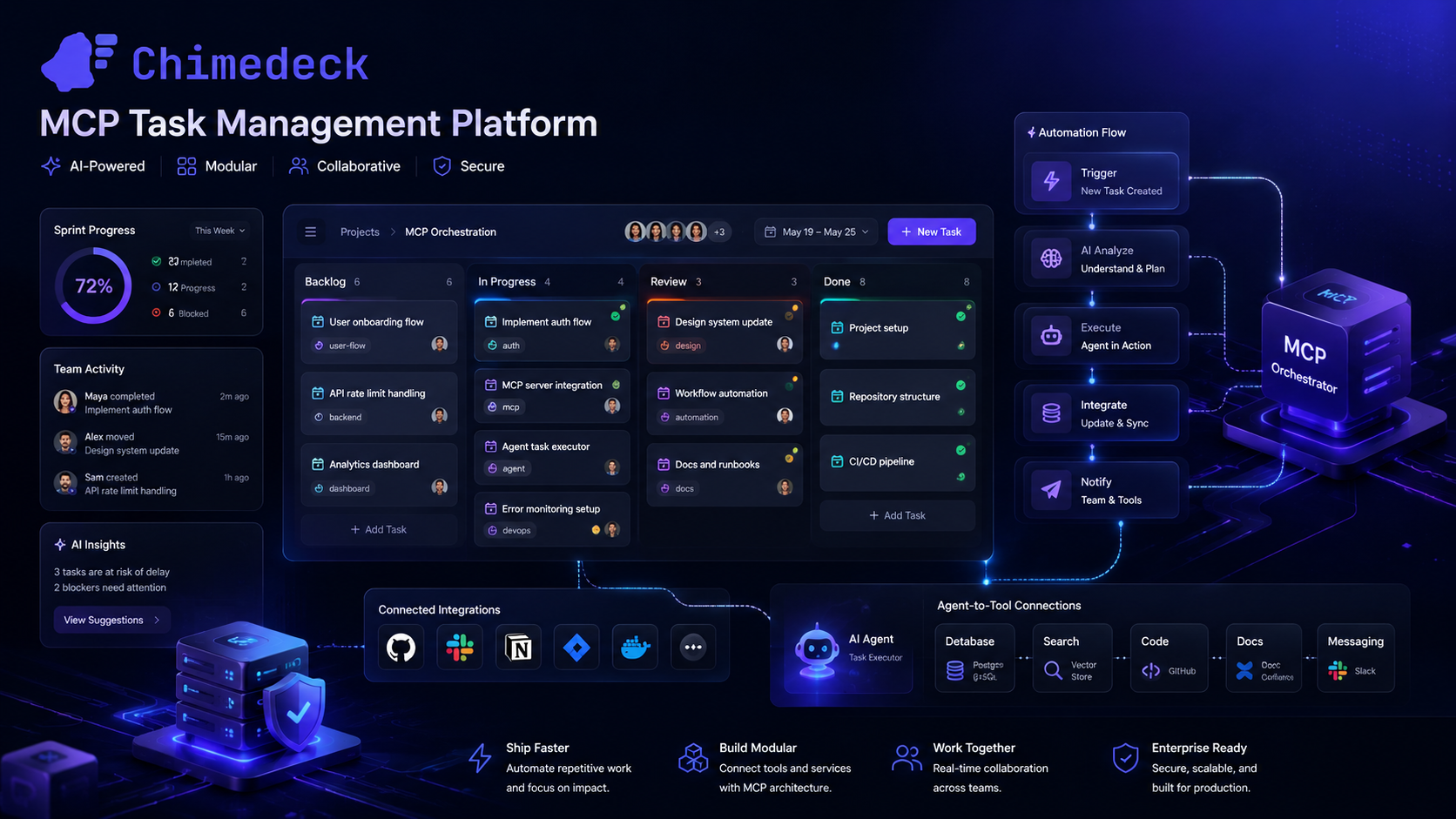
Chimedeck - MCP Task Management Platform
About Chimedeck
Chimedeck is an MCP-powered workflow infrastructure platform that combines enterprise task management with AI agent orchestration.
Built to support the Model Context Protocol from day one, Chimedeck enables organizations to connect popular AI agents directly to their operational workflows. AI agents can create, update, assign, prioritize, and monitor tasks in real time, transforming traditional task management into an intelligent, automated workflow system.
At its core, Chimedeck provides everything modern teams need to manage work efficiently, including Kanban boards, calendar views, project tracking, workflow customization, access controls, and team collaboration tools. Available as both a cloud-hosted service and an open-source platform, Chimedeck gives organizations complete flexibility to adapt the system to their unique requirements.
As AI agents become increasingly integrated into business operations, organizations need a platform that can coordinate both human and autonomous work. Chimedeck fills that role by serving as a centralized hub for tasks, workflows, and AI-driven execution, making it one of the leading MCP task management platforms for the next generation of digital operations.
Frequently Asked Questions
What is the difference between an MCP agent and traditional RPA or automation tools?
Traditional automation tools like RPA require you to define the exact steps a process should follow. If anything changes, you need to update the automation. MCP agents are more flexible because they reason about the task and adapt their approach. They understand context and can handle variation in the process. This makes them more robust to change but also requires more care in setting guardrails.
Can MCP agents work with legacy systems that do not have APIs?
MCP servers can be built to wrap any system with an interface, including legacy tools. However, the integration work is usually at the MCP server level, not the agent level. This means you might need some custom development, but the complexity is isolated to the MCP layer rather than scattered across multiple integrations.
What happens if an MCP agent makes a mistake?
Well-designed agents have safeguards. They can be configured to request approval before executing high-risk actions, to log every decision for audit, and to escalate to a human if they encounter uncertainty. The key is building these guardrails into your workflow design, not expecting the agent to get it right every time.
How do we get started with MCP agents if we are not a technical team?
The barrier to entry has dropped significantly. Platforms like Chimedeck let non-technical operators define MCP workflows through a visual interface rather than code. You describe what you want to happen, and the system connects the agents to your tools. This is more accessible than traditional agent platforms that require engineering support.