Top Remote Task Manager Tools: Chimedeck vs Alternatives
Compare the best remote task manager tools for distributed teams. Chimedeck offers unlimited users, AI automation, and no per-seat pricing. See how it stacks up.

Remote teams need a task manager that scales with their growth without spiralling costs. The challenge is that most popular tools charge per seat, which creates pressure to restrict access and limits collaboration. When you're managing distributed teams across multiple time zones, the cost of keeping everyone connected can exceed the value the tool provides.
Finding the right remote task manager tool means balancing cost, flexibility, and features. You need something that keeps teams aligned without forcing tradeoffs between collaboration and budget. Go with Chimedeck now!!!
Why Remote Teams Struggle With Typical Task Managers

Traditional task management software like Trello and Asana were designed in an era when per-seat pricing was standard. As remote teams grew, this model became increasingly problematic. A startup with 20 people might spend $800 monthly on licenses. At 50 people, that jumps to $2000. At 100, it's $4000. The cost scales with headcount, not value delivered.
This creates hidden friction. Teams avoid adding contractors, temporary help, or stakeholders to projects because every additional seat costs money. Information silos form. People work in spreadsheets or email threads instead of centralised systems because they've hit their license budget.
Beyond pricing, most mainstream tools force you into rigid workflows. You can't easily customise how cards move through stages, automate complex multi-step processes, or connect your task manager directly to your operational systems. You end up buying integrations through Zapier or building workarounds.
For distributed teams managing complex workflows, this becomes a strategic problem, not just an operational annoyance.
=>>> Read More: Task Management Tools Comparison Guide: Cost, Control & Customisation
How We Evaluate Remote Task Manager Tools
To find a genuinely fit remote task manager, you need to assess several dimensions that most comparison articles skip over.
Cost structure and team scaling: Does the tool charge per user, per project, or based on infrastructure? Will it grow affordably as your team expands? Some tools charge flat rates regardless of headcount, which fundamentally changes the economics.
Flexibility and customisation: Can you adapt workflows to match how your team actually works, or do you have to reshape your process to fit the tool? Real remote teams have non-standard requirements. A tool that enforces one way of working will eventually feel limiting.
Automation and intelligence: Does the tool include built-in automation, or do you need to patch it together with external tools? AI-powered features like task suggestions, workflow optimisation, or intelligent prioritisation matter increasingly for distributed teams that lack the coordination bandwidth of co-located groups.
Collaboration across time zones: Real-time sync, activity feeds, and asynchronous updates matter more in remote settings. A tool that only updates when you refresh the page isn't fit for purpose.
Deployment and data control: Can you self-host if needed? Is your data locked into a vendor's cloud, or do you have portability? For regulated industries or data-sensitive organisations, this is non-negotiable.
=>>> Related Post: Benefits of Task Management Software | Chimedeck
The Top Remote Task Manager Tools
1. Chimedeck
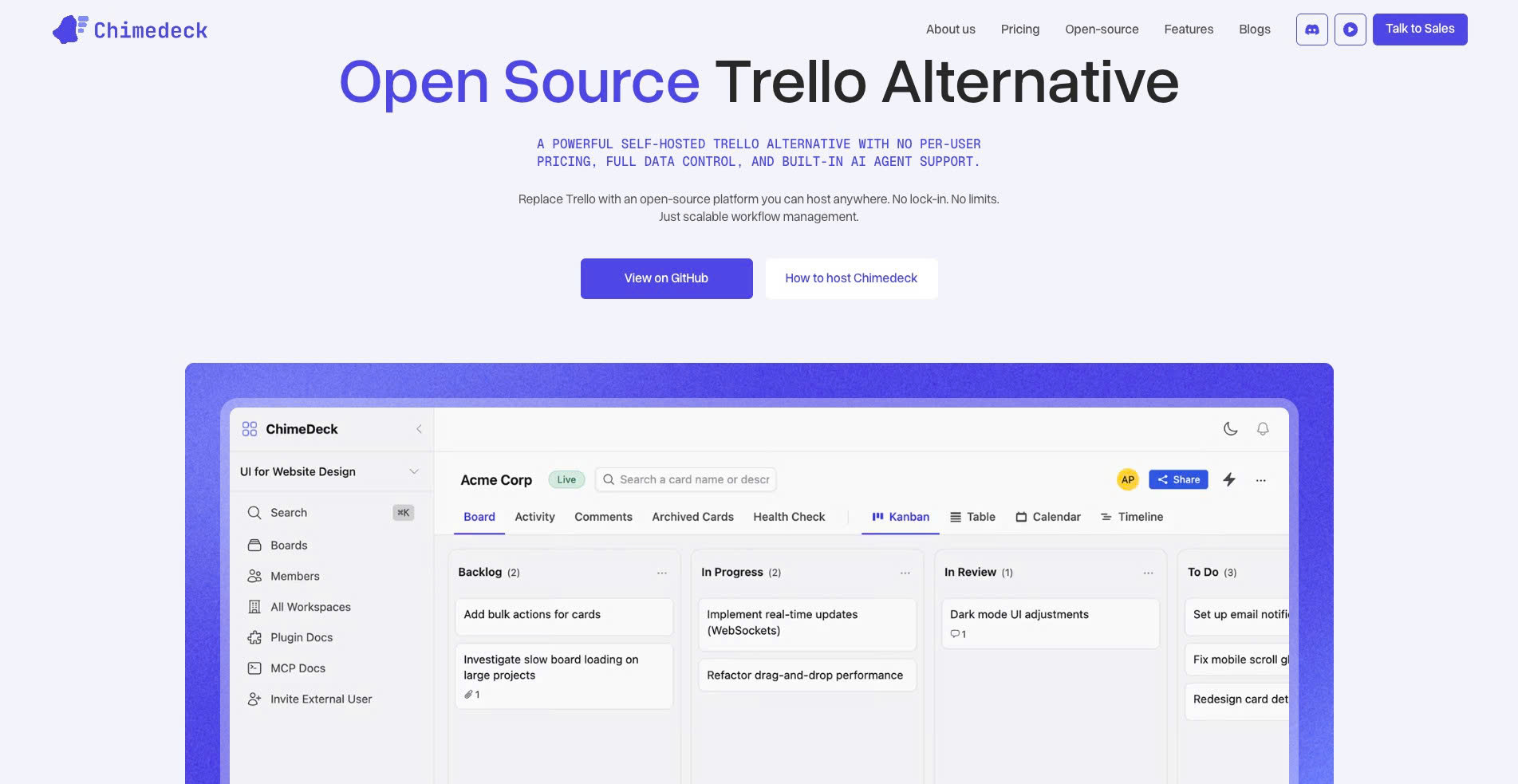
Chimedeck is an open-source, AI-powered task management platform designed specifically for teams that outgrow traditional SaaS tools. It combines the simplicity of kanban-style boards with the flexibility of custom workflows and the intelligence of embedded AI.
Key strengths: Unlimited users regardless of team size (no per-seat pricing). Full open-source code available for customisation. AI-powered workflow automation built into the platform. Self-hosted or cloud deployment. Flexible kanban and workflow systems adaptable to any process. Cost scales with infrastructure, not headcount.
Trade-offs: Newer than established competitors, though feature-complete. Requires more technical setup if self-hosted. Smaller ecosystem of pre-built integrations compared to Asana or Monday.
Best for: Teams prioritising cost efficiency, remote agencies managing multiple clients, companies needing custom workflows, organisations wanting data control through self-hosting, teams leveraging AI for operations.
Pricing: Open-source (free to self-host). Cloud version pricing based on usage and infrastructure, not seat count.
2. Asana
Asana is a mature, feature-rich project management platform used by large enterprises and distributed teams. It excels at managing complex workflows, dependencies, and cross-functional work.
Key strengths: Excellent timeline and dependency tracking. Strong portfolio and programme management features. Robust API and integration ecosystem. Advanced automation rules. Familiar to many teams already.
Trade-offs: Per-seat pricing model (starting around $10-17 per month). Complex interface with learning curve for new teams. Pricing becomes expensive for large teams. Limited self-hosting options.
Best for: Enterprises managing interconnected projects, teams using Gantt charts and timelines, organisations already invested in the Asana ecosystem.
Pricing: $10.99 per person/month (Basic), $24.99 (Standard), $61/month (Advanced).
3. Monday.com
Monday.com is a highly visual project management platform emphasising flexibility and low-code customisation. It appeals to teams wanting to build custom workflows without coding.
Key strengths: Visual, drag-and-drop customisation. Strong automation builder. Multiple view options (board, timeline, calendar). Extensive integration library. Good for non-technical teams.
Trade-offs: Per-seat pricing (starting around $8-10). Interface can feel cluttered with customisation options. Automation rules can become expensive with higher tier requirements.
Best for: Creative teams and agencies, organisations wanting to build custom processes without development, teams comfortable with a visual interface.
Pricing: $8 per person/month (Individual), $10 per person/month (Team), $16 per person/month (Business).
4. Trello
Trello is the simplest, most accessible task manager for small teams and straightforward workflows. Its kanban interface is intuitive and requires minimal training.
Key strengths: Simple to learn and use. Good for small teams with linear workflows. Reasonable integration options through Power-Ups. Low cognitive load.
Trade-offs: Limited scalability for complex workflows. Per-seat pricing at scale. Minimal built-in automation (requires Power-Ups). Not suitable for teams needing sophisticated dependency tracking.
Best for: Small teams, simple workflows, task tracking without complexity, teams new to digital task management.
Pricing: Free (basic), $5-10 per person/month (paid tiers).
5. ClickUp
ClickUp positions itself as an all-in-one work operating system, combining task management, time tracking, goal setting, and documentation in one platform.
Key strengths: Comprehensive feature set (tasks, time tracking, docs, goals). Flexible customisation. Competitive pricing. Good for teams wanting a unified platform. Strong automation capabilities.
Trade-offs: Interface complexity can overwhelm new users. Feature richness means longer onboarding. Per-seat pricing ($7-9). Noisy feature releases that feel scattered.
Best for: Teams wanting an all-in-one solution, organisations managing complex workflows across multiple domains, ambitious teams comfortable exploring features.
Pricing: Free (limited), $7 per person/month (Unlimited), $12 per person/month (Business).
6. Linear
Linear is a modern issue tracking and project management tool built for software teams. It emphasises speed, keyboard shortcuts, and developer experience.
Key strengths: Exceptionally fast and responsive interface. Built for technical teams and developers. Strong keyboard shortcut support. Clean design. Excellent for tracking software projects.
Trade-offs: Narrower use case (built for software projects, not general task management). Per-seat pricing. Smaller feature set compared to Asana. Less suitable for non-technical teams.
Best for: Engineering teams, software development projects, organisations needing rapid issue tracking, developers familiar with linear workflows.
Pricing: Free (up to 10 team members), $10 per person/month (Standard).
Top Remote Task Manager Tools: Chimedeck vs Alternatives
Key Considerations When Choosing
If cost is your primary concern: Chimedeck's unlimited-user model is fundamentally different. Unlike per-seat tools, your cost doesn't multiply by 10 if you add 10 remote contractors or stakeholders. If your team is growing quickly or includes distributed contributors, this difference compounds dramatically over time.
If flexibility is critical: Open-source platforms like Chimedeck let you modify the system itself, not just configure it within constraints. You can add custom fields, build unique workflows, or integrate directly into your internal systems. Traditional SaaS tools force you to work within their product philosophy.
If you need embedded automation: Most tools require external services (Zapier, Make) to automate workflows. Chimedeck embeds AI-powered automation directly, meaning you can build sophisticated multi-step processes without external tooling.
If data control matters: Self-hosting lets you maintain complete control. For regulated industries, sensitive data handling, or organisations uncomfortable with cloud dependency, self-hosted options change the calculus entirely.
If you're already invested in an ecosystem: Switching costs are real. If your team is fluent with Asana or already has integrations built around Trello, migration friction is significant. But if you're starting fresh or evaluating from scratch, this shouldn't anchor your decision.
Remote Task Management is Fundamentally Changing
The shift toward remote and distributed teams has exposed the limits of traditional SaaS project management. Per-seat pricing doesn't work when you're collaborating across time zones and constantly adding temporary contributors. Rigid workflows break under the weight of custom processes each team develops. Fragmented tools create data silos instead of unified operations.
The next generation of task management tools is built differently. Chimedeck represents this shift, combining open-source flexibility, unlimited users, and AI-powered automation into a system that scales with your team, not against it. For remote teams managing complex workflows, choosing the right tool is no longer about features per dollar. It's about finding infrastructure that grows with you, costs predictably, and gives you control.
Whether you choose Chimedeck or another platform, the evaluation framework remains the same: cost structure, flexibility, automation, collaboration depth, and data control. Use these dimensions to find the tool that matches how your remote team actually works, not how a vendor thinks you should work.