Open Source Project Management Software: Scalable Tools for Teams
Compare open source project management software: Plane, OpenProject, Leantime, Redmine and Chimedeck. Pick a tool that scales without per-seat fees.
Teams managing multiple projects, scaling rapidly, or working across client engagements increasingly face a hard choice: pay escalating fees as headcount grows, or find a different way to organise work. Open source project management software solves this problem by shifting control back to the organisation. Instead of renting a tool that charges per user, you deploy an alternative that scales without adding recurring costs per team member. The shift reflects a broader pattern in how teams approach operational infrastructure: they want transparency, flexibility, and the ability to extend the platform as needs evolve.
This matters beyond cost. Many established project management platforms were designed around a single interaction model: people clicking through a web interface. AI agents, automation workflows, and internal systems often cannot access the same data or perform the same actions as human users. Open source project management software removes that constraint by providing APIs, CLIs, and integration points that work as well as the graphical interface. Teams can now build workflows where human operators and AI systems work with the same task objects, deadlines, and project context.
Why Teams Are Moving to Open Source Project Management Tools
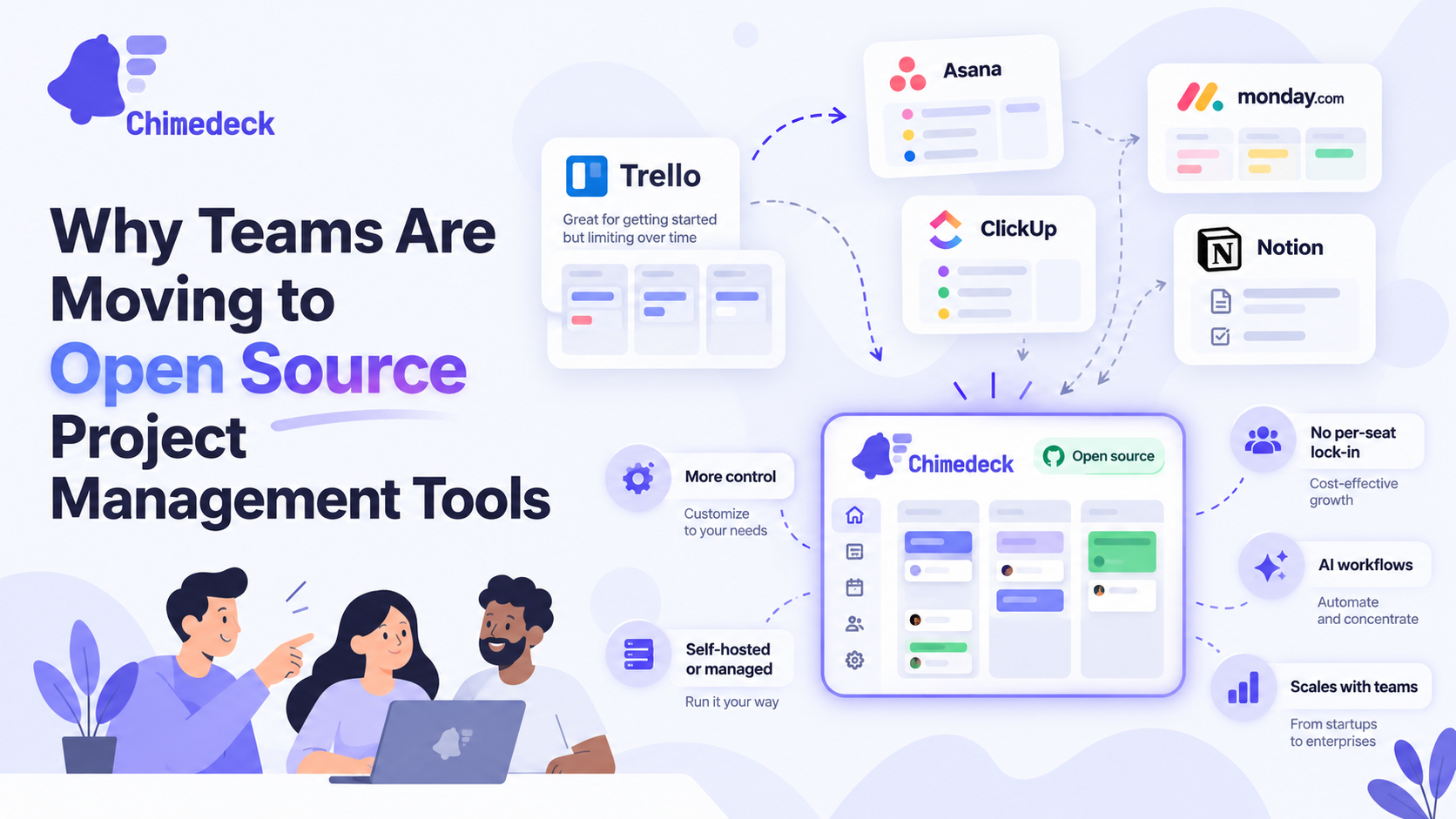
The traditional SaaS model for project management creates friction at scale. Each new team member adds cost. Each external collaborator, contractor, or guest account multiplies the subscription fee. For agencies managing dozens of projects and clients, for distributed teams spanning regions, or for companies growing rapidly, per-seat pricing becomes a significant operational constraint. Teams spend energy negotiating access levels and managing user counts instead of focusing on work itself. This is why a growing number of organisations are moving to open source alternatives to traditional project management platforms.
Open source project management software decouples these concerns. Most platforms charge based on storage, infrastructure, deployment mode, or usage, not headcount. A team of 50 people costs the same as a team of 200 people to operate, which fundamentally changes the economics of tool selection. This is especially valuable for organisations that collaborate with many external participants: clients, agencies, advisors, or community contributors who need visibility into work but may not justify per-user expense. Unlike commercial platforms that enforce per-seat costs, open source task management tools let you expand participation without increasing software spend.
Beyond cost, there is the control question. Closed SaaS platforms determine what features exist, how integrations work, where data lives, and when features sunset. Open source software gives organisations the ability to inspect the source code, modify it, deploy it within their own infrastructure, and make decisions about its future independent of a vendor's roadmap. For teams handling sensitive work, requiring compliance with specific data residency rules, or managing intellectual property, this control is essential.
Key Features to Evaluate in Open Source Project Management Software
Not all open source tools are equal. When evaluating options, start with these dimensions.
Deployment Flexibility matters. Some open source tools can only be self-hosted; others offer both self-hosted and cloud-managed options. Self-hosting gives you maximum control but requires operational overhead. Managed cloud hosting offers faster setup with less infrastructure work. The best platforms support both modes so you can choose based on your constraints.
Workflow Views and Automation determine how naturally the tool fits your team's process. Can it support Agile sprints, Kanban boards, Gantt charts, and calendar views simultaneously? Can workflows move cards automatically based on rules? Can you define custom fields and automate routine tasks? Some tools excel at one workflow style but struggle with others.
Integration and Extensibility separate tools you can grow with from tools that eventually constrain you. Look for robust REST APIs, CLI access, and plugin architecture. Integration with version control systems, CI/CD pipelines, communication tools, and other operational systems should be possible without vendor approval. This is where open source genuinely shines: if an integration doesn't exist, you can build it yourself.
Community Activity and Maintenance predict longevity. A tool with frequent releases, active issue discussions, and responsive maintainers is more likely to receive security updates and stay aligned with modern infrastructure. Check GitHub for commit frequency, pull request responsiveness, and the breadth of community contributors behind each project.
Support for AI and External System Access is increasingly important. Modern teams use AI agents to create tasks, retrieve project context, update work status, and coordinate with humans. Ask whether the platform provides structured access for external systems. Does it support Model Context Protocol (MCP)? Does it have a comprehensive API? Can agents retrieve and modify task data with permission controls? This determines whether the tool becomes part of your operational infrastructure or remains an isolated interface.
Leading Open Source Project Management Platforms
Several tools have matured into credible alternatives to closed SaaS platforms. Here is how the primary options compare.
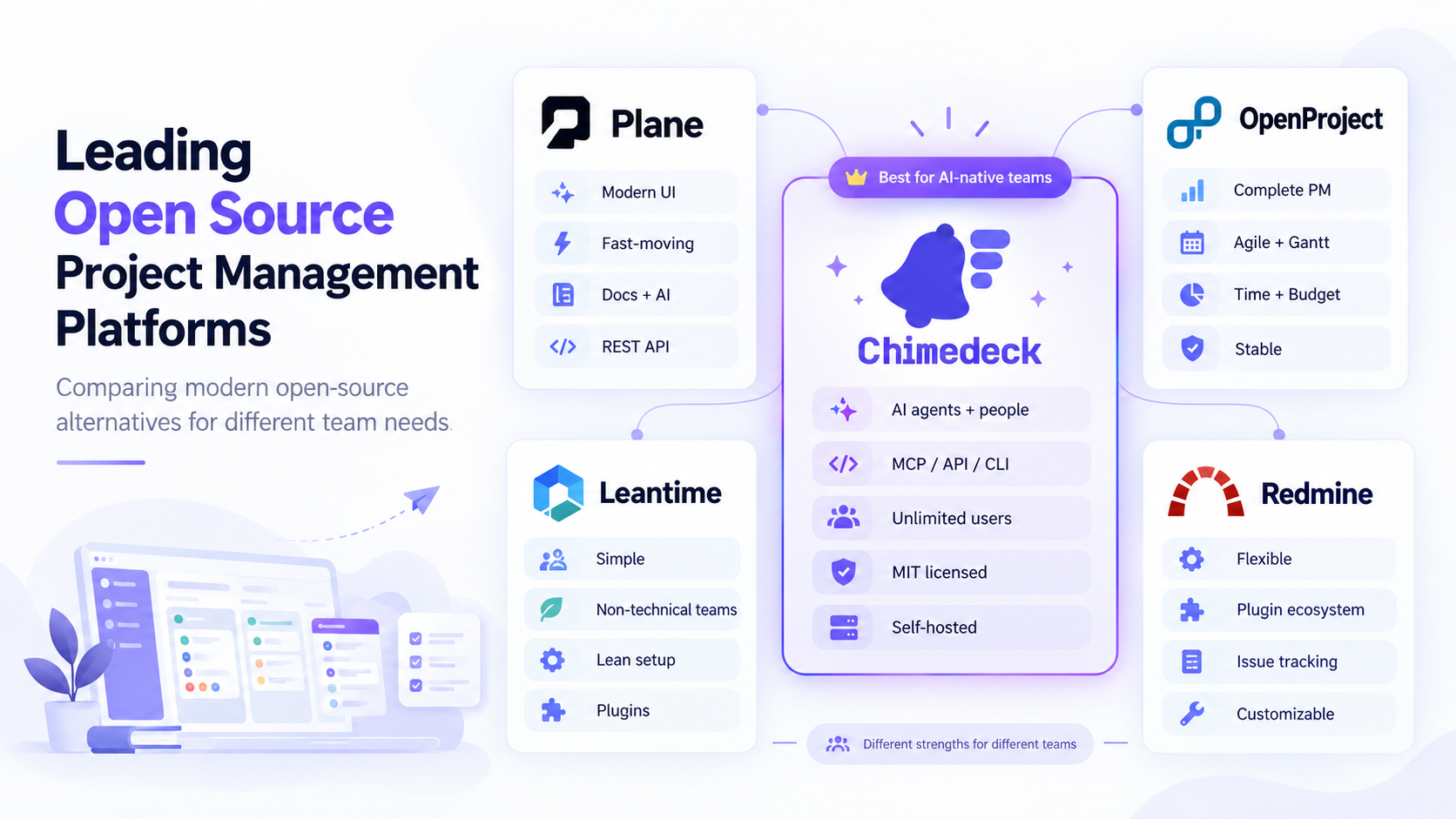
Plane stands out for modern interface design and rapid development velocity. It emphasises project tracking, documentation, and built-in AI capabilities. Plane supports deployment on your own infrastructure and includes a comprehensive REST API. It has gained significant GitHub attention with approximately 61,000 stars, reflecting strong community adoption. For teams wanting a contemporary experience with open source control, Plane is a strong contender.
OpenProject focuses on completeness and institutional stability. It supports classic project management, Agile workflows, Gantt charts, time tracking, budgets, and portfolio management, all without per-user limits in the Community Edition. The interface is more traditional than Plane, but the feature breadth is substantial. OpenProject is particularly strong for organisations running on-premises infrastructure or requiring waterfall-style project tracking.
Leantime positions itself around non-technical teams and simplicity. The interface is deliberately minimal, making it accessible to people unfamiliar with project management terminology. It supports self-hosting with no user limits and charges for advanced features as optional plugins. This tiered approach appeals to smaller teams or organisations wanting to start lean and expand features as needs evolve.
Redmine is one of the oldest and most stable open source options. It excels at flexibility through an extensive plugin ecosystem. The base tool covers issue tracking, time logging, wikis, and basic project organisation, but the real power emerges through plugins that extend it for Agile boards, CRM workflows, test case management, and custom processes. Redmine suits technically sophisticated teams comfortable with customisation and maintenance.
Chimedeck is built for teams where AI agents work alongside people. It is MIT-licensed, free to self-host with unlimited users, and exposes the same boards, tasks, and comments through MCP, a REST API, and a CLI, so an agent can create and update work in the same place your team does. It is a younger project than the others on this list, so it fits teams that care more about agent access and predictable costs than about a long plugin history.
Each tool makes different trade-offs. Plane prioritises modern usability. OpenProject emphasises feature completeness. Leantime favours simplicity. Redmine enables unlimited customisation. Chimedeck centres on shared work between people and AI agents. Your choice depends on whether you value out-of-the-box ease or long-term extensibility, and whether your team has technical depth to operate self-hosted infrastructure.
The Emerging Layer: AI Agents and Operational Context
A significant shift is occurring in how teams use project management tools. They are no longer just interfaces for human operators to manage work manually. They are becoming operational infrastructure that connects people, automation, and AI systems in a coordinated space.
Traditional SaaS tools approach AI through built-in assistants: a chatbot that summarises tasks, generates text, or suggests actions within the application. This is limited. The assistant operates only within that platform and cannot understand context from other systems. It remains separate from actual work.
A more powerful model gives external AI agents direct access to the task management system. An agent connected to your open source task management platform can retrieve project context, understand what work exists, create tasks, update progress, add comments, and organise workflows. All of this happens within the same task objects your human team uses. Agent actions remain visible, reviewable, and integrated with team processes.
This requires more than a good API. It requires a consistent interface standard that AI clients can discover and use without custom integration work for each tool. Model Context Protocol (MCP) is emerging as that standard. MCP allows compatible AI clients to connect with external systems through a standardised interface. A task management platform supporting MCP gives AI agents a reliable way to access and act on work alongside human team members.
Open source platforms have an advantage here. They can implement MCP support without vendor approval. They can expose the full operational breadth of the task system. They can evolve in response to how teams actually use AI and work coordination, rather than following a commercial roadmap.
Choosing the Right Tool for Your Organisation
Start by honestly assessing your constraints and priorities. If you need absolute simplicity and minimal operational burden, a managed cloud option (even if paid) may be worth the cost. If you require self-hosting for compliance or security reasons, that narrows the field significantly. If you work with many external participants and per-seat pricing creates friction, open source becomes obviously valuable.
Ask your team what workflow feels natural. Do you work in sprints? Do you need Gantt visualisation? Will you use time tracking? Can processes be standardised or do different projects need different workflows? The tool that handles your dominant workflow style with minimal workaround friction is far better than a theoretically more powerful platform that requires constant customisation.
Consider your technical depth and appetite for maintenance. Self-hosting requires ongoing updates, backups, security patching, and occasional troubleshooting. If your team has no DevOps capacity and operational overhead would be a real burden, a managed hosting option reduces risk. If you have technical resources and value control, self-hosting is a genuine advantage.
Evaluate the integration story. Where will your task management connect to other systems? Version control? CI/CD pipelines? Communication tools? Calendar systems? The best tool for you is the one whose API and plugin architecture align with your existing infrastructure. Open source tools win here because you can build missing integrations yourself if needed.
Finally, ask about AI and external system integration. Even if you are not using AI agents today, the landscape is shifting. A tool that supports structured API access, comprehensive permission controls, and ideally MCP compatibility will age better. It positions you to adopt AI-assisted workflows without replacing your task management system.
Frequently Asked Questions
Is open source project management software really free?
The software itself is free, but self-hosting requires infrastructure costs (servers, storage, backups). Managed hosting options exist with subscription fees, though typically lower than per-seat SaaS. The economics improve as team size grows because you do not pay per additional user.
Can I migrate from my current tool to an open source alternative?
Most platforms provide import mechanisms or APIs to extract data. Migration difficulty depends on how much customisation your current tool has and how well your workflow aligns with the new tool's native capabilities. Plan for some workflow restructuring rather than expecting a perfect replica.
What if I need features the tool does not have?
You have options that closed SaaS does not provide. You can build plugins or extensions yourself. You can contribute improvements to the open source project. You can fork the codebase and maintain a customised version. This flexibility is the core value of open source, though it requires technical investment.
How do I know the project will still be maintained in five years?
Look at GitHub activity, release frequency, contributor breadth, and corporate sponsorship (some projects receive backing from companies that depend on them). Projects with diverse contributors and active recent development are lower risk than single-maintainer projects. That said, even if a project becomes dormant, you have the source code and can maintain it yourself.
Chimedeck: Open Source Task Management for Humans and AI Agents
Chimedeck is an open source MCP task management platform built for human teams and AI agents to work in the same operational space. Teams manage projects through familiar task interfaces while MCP compatible AI agents connect directly to retrieve context, create tasks, update work, and coordinate alongside humans. Chimedeck combines open source transparency with flexible deployment options, unlimited users without per seat pricing, and native support for human and AI collaboration through Model Context Protocol access, REST APIs, and CLI tools.