Free Task Management Tools: The True Cost of Scaling
Explore why free task management tools fail at scale. Understand per-seat pricing traps, vendor lock-in, and how open-source platforms offer a better approach for growing teams.

Teams evaluating free task management tools often face a deceptive choice. The comparison seems straightforward: Trello vs. Asana vs. Notion vs. a dozen other platforms, each claiming to solve the same problem. But this framing misses what actually changes as teams grow and workflows become more complex. Free task management tools work well until they stop working, and by then, the cost of switching has already accumulated across months of accumulated data, trained processes, and team habits.
The real question isn't which free tool has the most features. It's whether your approach to task management will survive the next phase of your business.
The True Cost of "Free" Task Management
Most free task management tools are free in one direction only: they cost nothing until they do. Todoist offers a generous free tier but charges per user for advanced features. Trello's free plan works until your board count exceeds the limit or you need automation beyond basic rules. Asana's free tier supports three projects, which is plenty until it isn't. Notion gives you unlimited pages but charges for more sophisticated workspace management.
The invisible cost accumulates over time. Your team adapts workflows around tool limitations rather than the tool adapting to your needs. You discover at the critical moment that the feature you need exists only in the paid tier. Migrating to a new platform means exporting data, reconfiguring processes, and retraining people who have learned the old system inside out.
This is where free tools reveal their true cost: they're free to start but expensive to exit. For many teams, staying on a free tier means accepting constraints that become more painful as the team scales. For others, the upgrade path is inevitable but comes after months of working within artificial limits that shaped the way you think about task management itself.

=>>> Read More: Task Management for Teams: Beyond Per-Seat Pricing
When Simplicity Becomes a Limitation
Free task management tools typically excel at one thing: making task management simple. This is a genuine strength. A straightforward kanban board, a clean checklist interface, or a flexible document-based approach are valuable precisely because they don't demand much from users. Teams adopt them quickly, and adoption is the hardest part of any tool implementation.
But simplicity has a cost that isn't immediately visible. It works well when tasks are independent, deadlines are clear, and the team is small enough that communication happens naturally outside the tool. The moment you need recurring workflows, complex dependencies, integration with your existing systems, or a way to track patterns across hundreds of tasks, simplicity stops being a strength and becomes a barrier.
Many teams reach this point and make the same choice: upgrade to a more expensive version of the same tool, migrate to something more complex, or accept that the tool is now more of a record-keeping system than an operational one. The problem is that by this point, the workflow has already been shaped around the tool's limitations. People have learned how to work within the constraints. Changing tools requires changing how work actually happens, which is far more disruptive than most teams anticipate.

The Per-Seat Pricing Trap and Why It Scales Badly
The most common path for free task management tools is per-seat pricing. A team of five people might stay on the free tier indefinitely, but add ten more people and the math changes quickly. Each additional user means an additional cost, which creates perverse incentives: teams share logins, avoid inviting stakeholders who should be involved, or segregate work across multiple tool instances to avoid additional seat costs.
For founders and operators, per-seat pricing becomes a serious constraint at scale. A startup with twenty people might pay forty to one hundred dollars per month across all task management tools. A startup with one hundred people might pay five hundred to two thousand dollars per month. This isn't just an expense line item; it's a variable cost that rises directly with headcount, which means it becomes harder to justify as the business grows.
This dynamic also incentivises tool sprawl. Instead of one comprehensive task management system, teams adopt multiple free or discount-tier tools, each designed for a specific workflow. One tool for project tracking, another for customer support tasks, a third for internal operations, a fourth for sales pipeline. Each tool is individually affordable, but managing context across all of them becomes a new problem entirely.
What many teams don't consider until it's too late is that free task management tools that later move to per-seat pricing are essentially a limited-time offer with an expiration date. The business model of the tool company depends on eventually charging you more. The free tier is a customer acquisition mechanism, not a sustainable offering. Understanding this dynamic changes how you evaluate the tool in the first place.
=>>> See More: Best Task Management Tools: A Guide for Scaling Teams
What Changes as Teams Grow
Free task management tools are designed with a specific user in mind: the individual contributor or small team that needs to keep track of work. They work well in this context. But the moment teams scale past a certain point, several things change simultaneously.
First, the number of tasks becomes unmanageable within a simple interface. With five people, a shared Trello board is transparent. With fifty people, the same approach becomes noise. You need filtering, prioritisation, and a way to see only what's relevant to your context.
Second, work starts having dependencies. One team's output becomes another team's input. Free tools that were designed for independence don't handle this well. You end up creating workarounds, linking tasks across boards, or using external documentation to track dependencies that should live in the task management system itself.
Third, you need visibility into patterns. How long do tasks actually take from start to finish? Which types of work are consistently underestimated? What's the bottleneck slowing down your process? Free tools capture data but rarely give you a way to analyse it. You're left exporting spreadsheets and doing manual analysis, which means insight is always several steps behind reality.
Fourth, automation becomes critical. When you have dozens of repetitive workflows, doing them manually is no longer acceptable. Free tools might offer basic automation, but it's usually limited to simple rule-based triggers. More sophisticated automation, like generating tasks based on external events or updating task status based on other system data, requires features that exist only in paid tiers or not at all.
Evaluating Task Management Tools Beyond the Feature List
Most comparison articles focus on features: does the tool have a mobile app, does it support recurring tasks, can you create custom fields. These are important, but they're not the primary decision drivers for teams that have outgrown free task management tools.
The real evaluation should focus on whether the tool can grow with your team without forcing a migration. This means asking different questions. Can you deploy it on your own infrastructure, or are you locked into the vendor's cloud? Can you export your data in a format that's usable elsewhere, or is it proprietary? Can you customize workflows to match how your team actually works, or must your team adapt to the tool's assumptions?
It also means evaluating total cost of ownership rather than just monthly fees. A tool that costs more per month but doesn't require per-seat pricing might be cheaper at scale than a tool that starts free. An open-source tool that requires some initial setup investment might be more cost-effective long-term than a managed SaaS solution. A platform that integrates deeply with your existing systems might save more money than a best-of-breed tool that requires manual workarounds.
The unfortunate pattern is that teams often discover this too late. They choose based on the free tier, get locked in through familiarity and data accumulation, and only then realise the tool doesn't scale the way they need. By that point, switching is expensive and disruptive.
Building Scalable Workflows Without Vendor Lock-In
For teams that have scaled past the limitations of free task management tools, there's a genuine alternative to expensive per-seat SaaS: building your task management capability on platforms designed for flexibility and ownership. This doesn't mean building from scratch; it means choosing infrastructure that doesn't penalise you for growth.
Open-source task management platforms offer a fundamentally different model. Instead of paying per user, you run the system on your own infrastructure. Instead of being locked into the vendor's feature roadmap, you can customise it to match your actual workflows. Instead of exporting your data and hoping it's useful elsewhere, you own it completely.
The tradeoff is that open-source platforms require some initial setup effort and ongoing infrastructure management. But for teams that have already scaled past the free tier, this investment often makes sense. You're not paying ongoing per-seat fees, which means the cost remains predictable and doesn't rise with headcount. You're not constrained by the vendor's vision of what task management should be, which means your workflows can evolve without waiting for the tool to add features.
The added advantage is that open-source platforms are increasingly designed with AI-powered capabilities built in. Instead of bolting on third-party automation tools, you get workflow intelligence directly in your task management system. Task suggestions based on your patterns, automatic prioritisation based on dependencies and deadlines, and integration with your existing systems without custom integrations or workarounds.
The best free task management tools do exactly what they promise: they make it easy to get started with task management at no cost. But they're not designed for the operational complexity that teams face as they scale. At that point, the question shifts from "which free tool is best" to "what kind of task management infrastructure will actually support how we work." For many teams, the answer isn't a better free tool or a more expensive SaaS platform. It's a platform designed from the ground up to avoid the constraints of both.
=>>> Related Post: Top Task Tracking Tools: Scaling Beyond Per-Seat Pricing
Free Task Management Tools: The True Cost of Scaling
Chimedeck
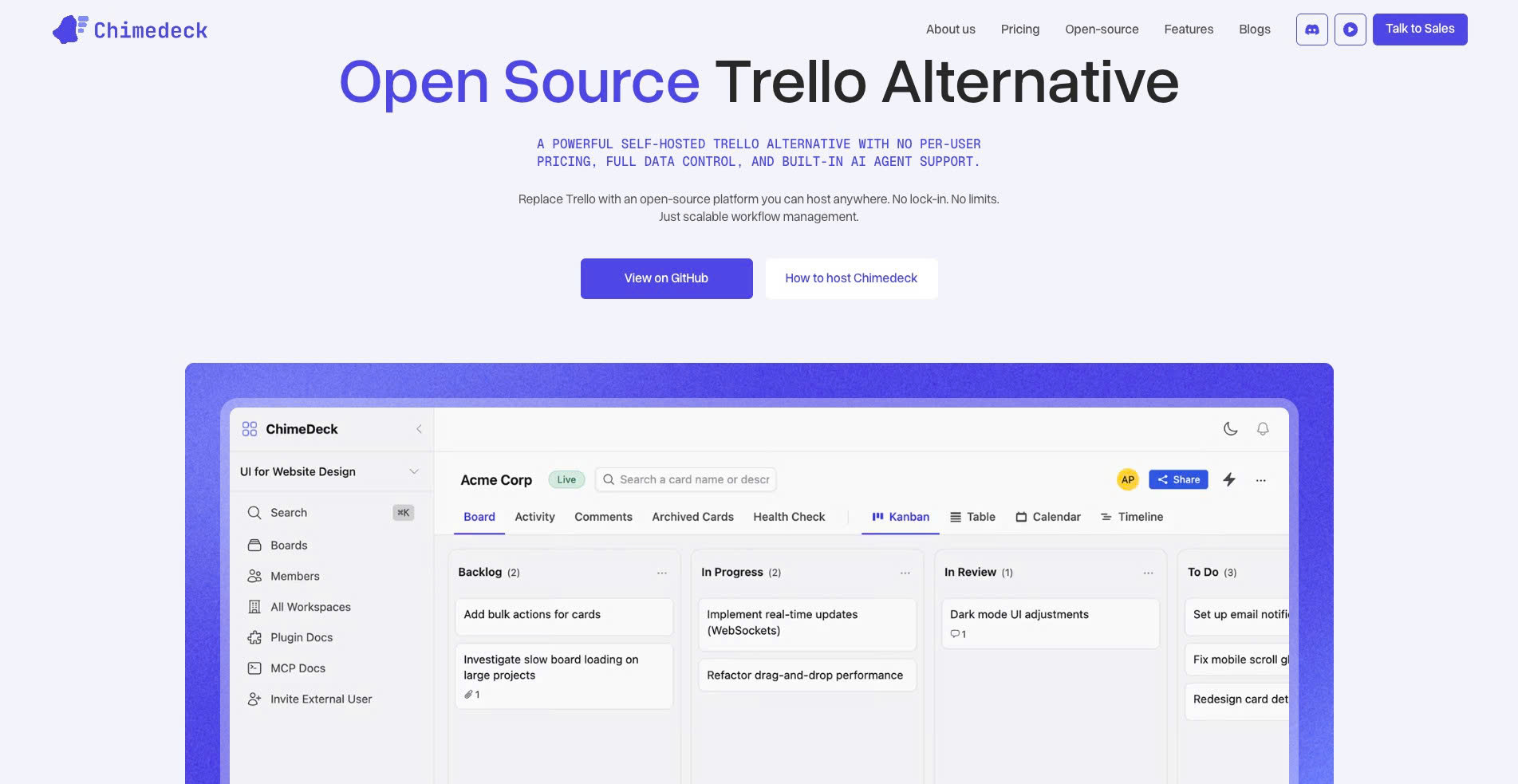
Chimedeck is a free, open-source task management tool built for teams that want more control, flexibility, and scalability than traditional SaaS platforms. As an open-source Trello alternative, Chimedeck supports unlimited users, flexible deployment, and AI-powered workflows without locking growing teams into expensive per-seat pricing.
For companies comparing free task management tools, Chimedeck stands out because it is designed to reduce the hidden cost of scaling. Teams can self-host, customize their workflows, manage data ownership more directly, and build a project management system that grows with their operational needs.
Trello
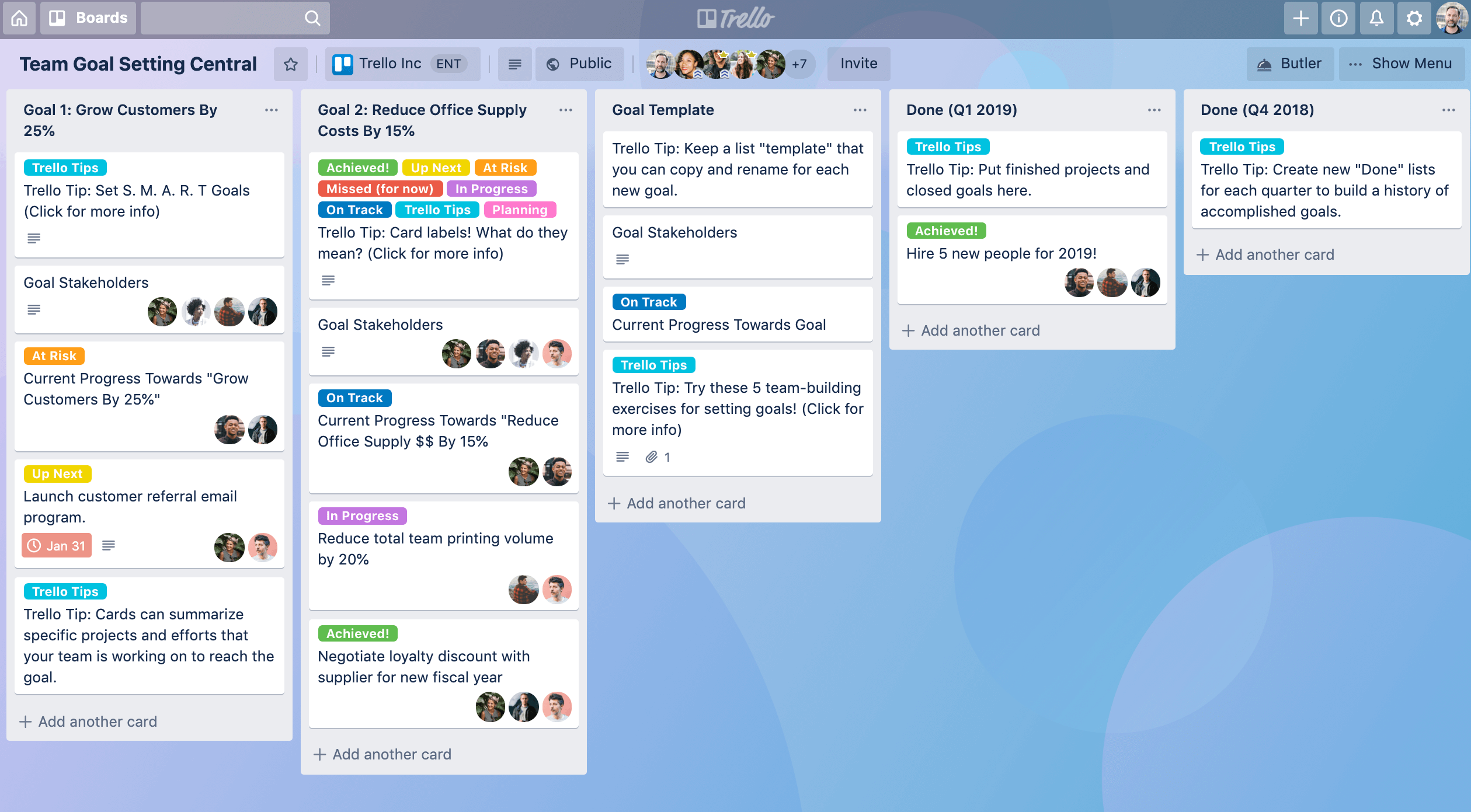
Trello is one of the most recognized free task management tools on the market thanks to its intuitive Kanban-style interface and fast onboarding process. Small teams and startups often choose Trello because it is easy to use and requires almost no technical setup.
However, as teams scale, Trello’s free plan limitations become more noticeable. Advanced automation, reporting, permission controls, and workflow customization are restricted behind paid tiers. Businesses that need more flexibility often start looking for a more scalable alternative.
Asana
Asana is popular among marketing teams, agencies, and operations teams that need structured project tracking. Its free version includes task assignments, timelines, boards, and team collaboration features that work well for lightweight project management.
The downside is that many advanced workflow features, portfolio management tools, and automation capabilities are locked into premium plans. As organizations grow, monthly per-user pricing can increase rapidly.
ClickUp
ClickUp positions itself as an “all-in-one productivity platform” with a generous free plan that includes docs, dashboards, time tracking, and customizable workflows. It appeals to teams looking for a highly flexible workspace.
That flexibility can also become a challenge. Many users report a steep learning curve and interface complexity when scaling larger operations. Performance and usability can vary depending on workspace size and customization depth.
Notion
Notion combines note-taking, documentation, wiki management, and lightweight task management into a single workspace. It is especially popular among startups, creators, and remote teams that want an all-in-one collaboration tool.
While Notion works well for knowledge management, its task management capabilities may feel limited for teams requiring advanced project dependencies, workload management, or enterprise-level operational workflows.
Jira
Jira is widely used by software development and engineering teams for agile project management, sprint planning, and issue tracking. The free plan supports small teams and integrates deeply with the Atlassian ecosystem.
For non-technical teams, however, Jira can feel overly complex. Configuration, workflow setup, and maintenance often require significant time investment, especially when scaling across departments.
Frequently Asked Questions
Is there a truly free task management tool that works for large teams?
Most tools offer a free tier for small teams or limited use cases, but they're not designed for large-scale operations. The free tier is a customer acquisition strategy, not a sustainable model for teams with dozens or hundreds of users. However, open-source platforms can provide unlimited free usage if you host them yourself, which shifts the cost from per-seat fees to infrastructure and maintenance.
When should a team stop using free task management tools?
The time to move beyond a free tool is when you're no longer adapting your work to fit the tool's constraints, but instead finding yourself frustrated by what the tool can't do. This typically happens when you have more than one small team, when tasks have complex dependencies, when you need automation across multiple workflows, or when the monthly cost of upgrading everyone to the paid tier exceeds the cost of a different platform.
What's the actual cost difference between free tools, per-seat SaaS, and self-hosted platforms?
A team of fifty people might spend two hundred to five hundred dollars per month on a per-seat SaaS tool. A self-hosted open-source platform might cost that much in initial setup and two hundred dollars per month in infrastructure, but with no additional per-user cost. The break-even point depends on your team size, your infrastructure costs, and how long you expect to use the platform. For most scaling teams, open-source becomes more cost-effective around fifteen to twenty active users.
Can you switch from a free tool to something more complex without disrupting your workflows?
Migration is possible but not seamless. You can export data from most tools, but the export is rarely a direct import into a new system. Workflows, task templates, and automation rules don't usually transfer. The real cost is retraining your team and redesigning processes to match the new tool's approach. This is why choosing the right platform early, before too much workflow has been embedded in tool-specific ways of working, is important.