Why Switch From Trello: Cost, Limits & Better Alternatives
Explore why teams outgrow Trello. Learn about per-seat pricing limits, feature constraints, and how open-source alternatives like Chimedeck offer unlimited scaling.

Trello arrived at exactly the right moment. In a world drowning in complex project management software, it offered elegance: boards, lists, and cards that anyone could understand within minutes. The drag-and-drop interface became the standard for intuitive task management, and teams across every industry adopted it. The problem is that simplicity, by design, has limits. And when your team grows, when projects become more intricate, when cost per user compounds month after month, you start asking: should we stay, or is it time to look elsewhere?
The question of why switch from Trello isn't really about Trello's core offering. It's about the inevitable mismatch between a tool designed for simplicity and the operational reality of a growing business.
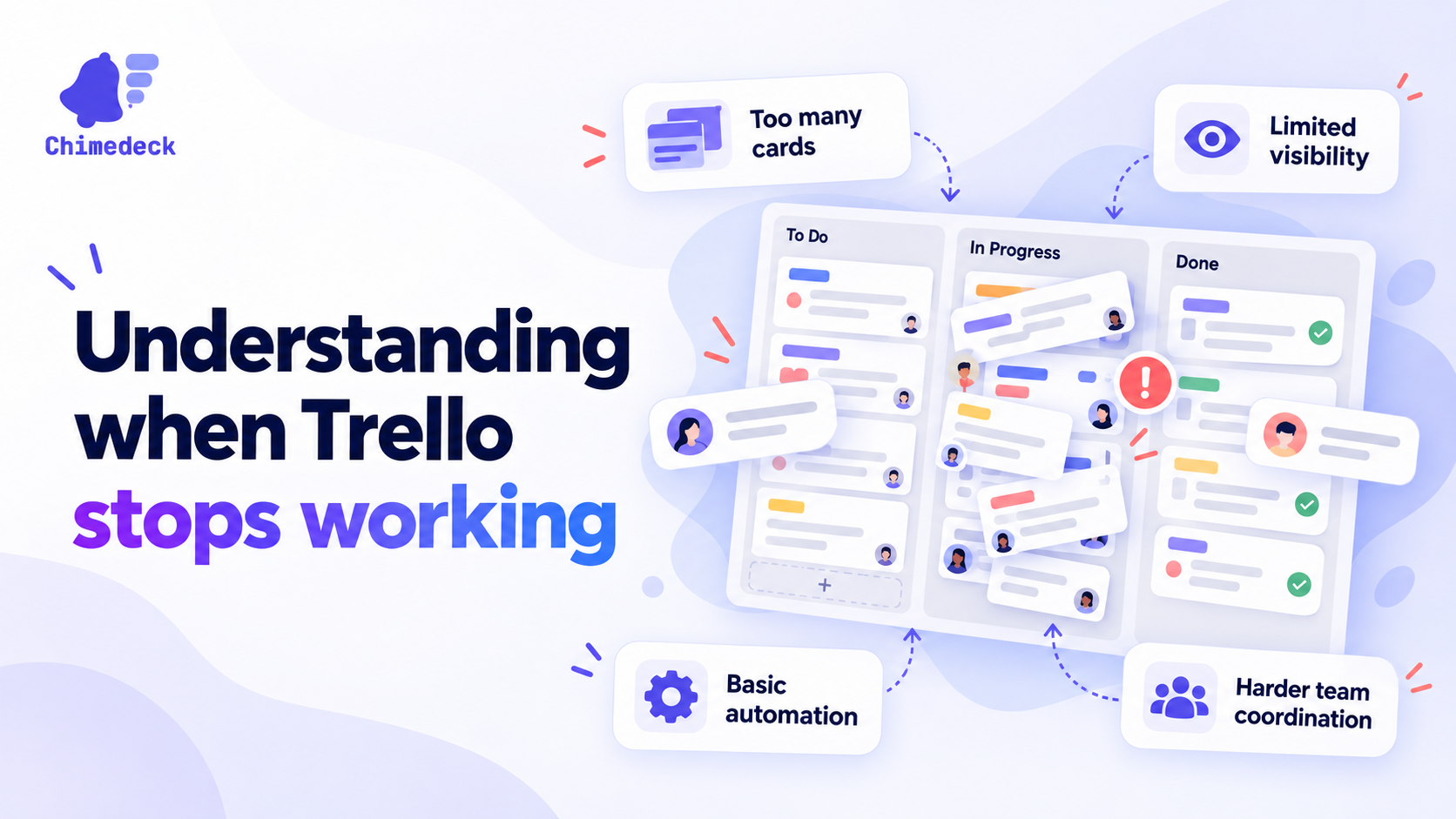
Understanding when Trello stops working
Trello works brilliantly for specific scenarios. A freelancer managing a handful of projects. A small team running a simple workflow. A marketing team tracking campaign phases. In these contexts, the lightweight interface is an advantage. Nothing gets in the way of the work.
But the constraints that make Trello elegant for small teams become friction points as complexity increases. When you're managing multiple interconnected projects, dependencies between tasks, resource allocation across teams, or complex approval workflows, Trello's card-based system starts to feel limiting. You can add custom fields and power-ups, but you're layering workarounds on a foundation designed for simplicity, not depth.
The experience of outgrowing Trello is remarkably consistent across teams. You add more boards. You create more power-ups. You develop informal rituals to make up for what the tool doesn't do. Performance slows. Some team members love it; others find it inadequate. You're caught in the middle: Trello is still technically functional, but it's no longer the right fit.
The math of per-seat pricing at scale
Cost is often the trigger that forces the conversation. Trello's free tier is genuinely useful for small teams, but scaling to paid plans means committing to per-seat pricing. This model made sense in an era when software licensing was how vendors built business models. Today, it's a relic that penalises growing companies. Teams searching for a free Trello alternative are often motivated by exactly this problem.
Consider a growing agency or product team. At ten people, a $5 to $10 per user per month cost feels negligible. At fifty people, you're looking at $250 to $500 per month. At a hundred people, the mathematics becomes painful: $5,000 to $10,000 annually, just for task cards.
What makes this particularly problematic is that the cost rises at exactly the wrong time. You're scaling the business, hiring new people, and your infrastructure costs are climbing. Adding thousands per year to software subscriptions for a tool you're beginning to outgrow anyway becomes a strategic frustration.
Beyond direct cost, there's a deeper issue: per-seat pricing creates perverse incentives. It discourages sharing information across departments. People hesitate to invite collaborators from other teams. Vendors structure the incentive to lock you in. Once you're paying for fifty seats, switching feels expensive, even if a better tool is available. You've already sunk the budget.
The feature-versus-simplicity paradox
Most teams don't decide to leave Trello because it's broken. They decide to leave because they need capabilities that simplicity can't provide. Workflow automation. Resource planning. Time tracking. Dependency management. Custom approval gates. Integration with internal tools. Reporting that makes sense at an operational level.
You can get partway there with Trello's power-ups and integrations, but you're adding layers of complexity while trying to maintain the simplicity that made Trello appealing in the first place. The tool that promised to make things easy now requires expertise to configure properly. Your team members have different comfort levels with the customisations. Documentation lives in scattered notes and tribal knowledge.
This is the paradox: to stay with Trello, you have to make it less like Trello. And at some point, you realise you're not really using Trello anymore. You're using a Frankenstein version of Trello, glued together with power-ups and custom integrations, and you're paying per-seat for it.
What better alternatives actually offer
When teams evaluate alternatives to Trello, they're usually looking for one of two things: either they want simplicity preserved but with better performance and features at scale, or they're ready to embrace a more powerful system that can grow with them.
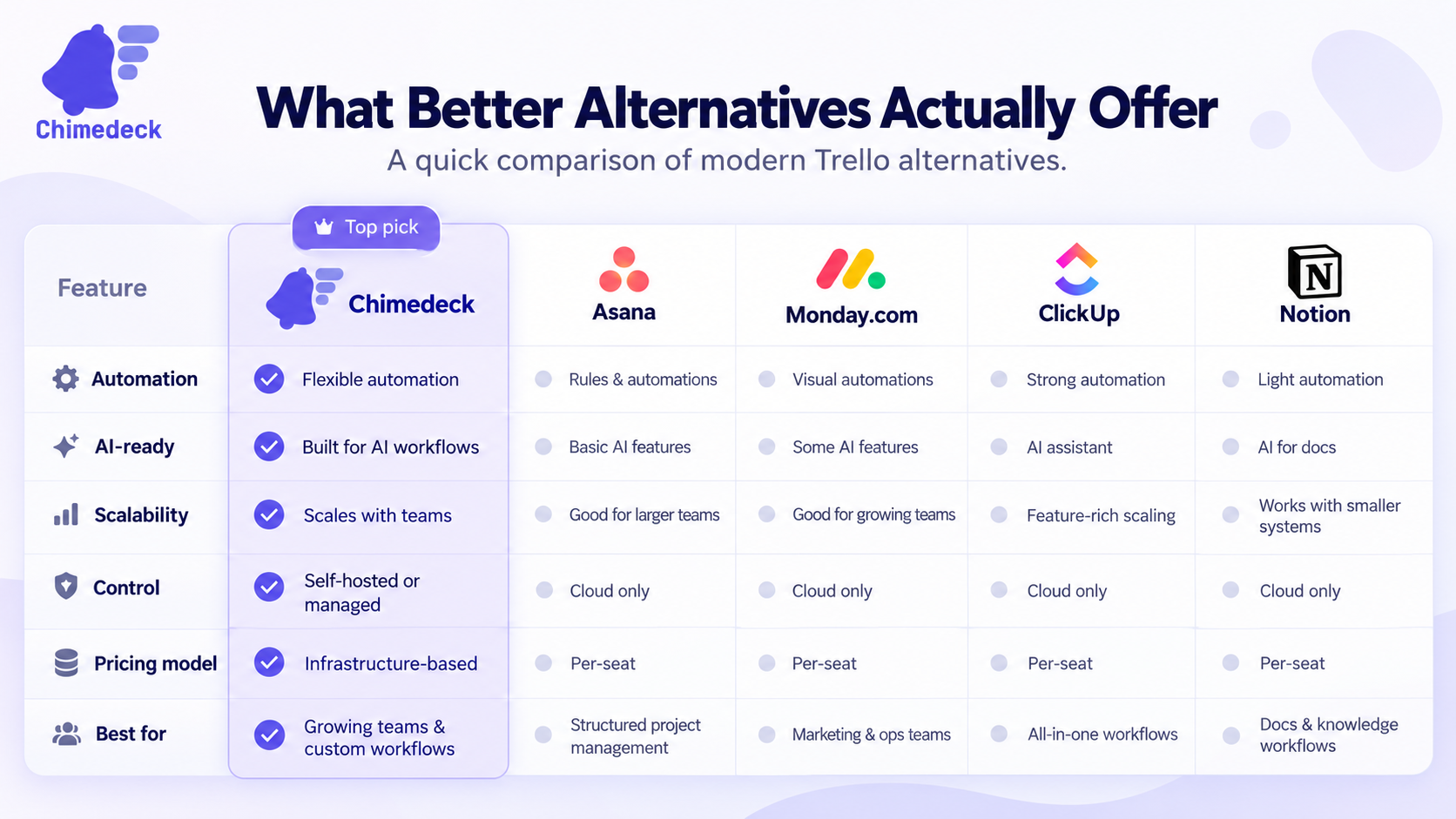
The most compelling alternatives address the core frustrations differently. Some use flat-rate pricing models that scale with infrastructure rather than headcount. Some offer flexible views beyond kanban: timelines, calendars, roadmaps, resource views. Some include automation and AI capabilities baked into the platform, rather than bolted on. Some provide self-hosted options for teams that need control over their data and infrastructure.
Open-source project management tools have become particularly valuable. They offer code-level customisation without vendor lock-in. You can self-host or use managed infrastructure. You control your data. The licensing model removes per-user penalties. And over time, you can shape the tool to match your actual workflows, not adapt your workflows to fit someone else's product vision.
The best platforms combine usability with depth. They don't make you choose between simplicity and power. They start simple for straightforward workflows and expand as your needs grow. They don't penalise you financially for success and team growth. They offer flexible deployment models. And increasingly, they're adding AI-powered features that actually save time on repetitive work, rather than just automating the automation.
Making the decision to move
Deciding to switch from Trello is rarely an impulsive choice. It requires acknowledging that the cost, limitations, and friction have crossed a threshold. A useful framework: calculate the true cost of Trello over the next two years, including licensing. Estimate the time cost of maintaining workarounds and custom configurations. List the features you're actively missing or want to add. Then evaluate whether the alternative is worth the migration effort.
Migration is real work. You'll need to export data, map workflows to new systems, train the team, and handle the period where you're partly in the old system and partly in the new one. This is a real cost that platforms love to minimise in conversations. But the cost of staying stuck in a tool you've outgrown is often higher: teams working around the tool rather than with it, growing frustration, and compounding technical debt.
The evaluation should focus on fit, not just feature count. Does the new platform match how your team actually works? Can you integrate it with your existing infrastructure? Will people adopt it voluntarily, or will you have to mandate it? Does the pricing model align with your growth trajectory? And crucially: is it built on a foundation that can grow with you, or are you just kicking the problem down the road to two years from now when you outgrow this platform too?
Chimedeck: MCP task management platform
Chimedeck is an open-source workflow and project management platform designed for teams that have outgrown traditional SaaS tools. Unlike Trello's fixed simplicity or per-seat pricing lock-in, Chimedeck combines unlimited user scaling, flexible self-hosted or cloud deployment, and AI-powered workflow automation. It's built as scalable workflow infrastructure, not just a task card viewer, positioning it as the choice for teams that need control, cost efficiency, and the ability to automate operations across their entire workflow system.