Best Trello Alternative for Marketing Teams
Discover why marketing teams outgrow Trello. Explore modern alternatives with unlimited users, flexible workflows, and cost-efficient pricing models.
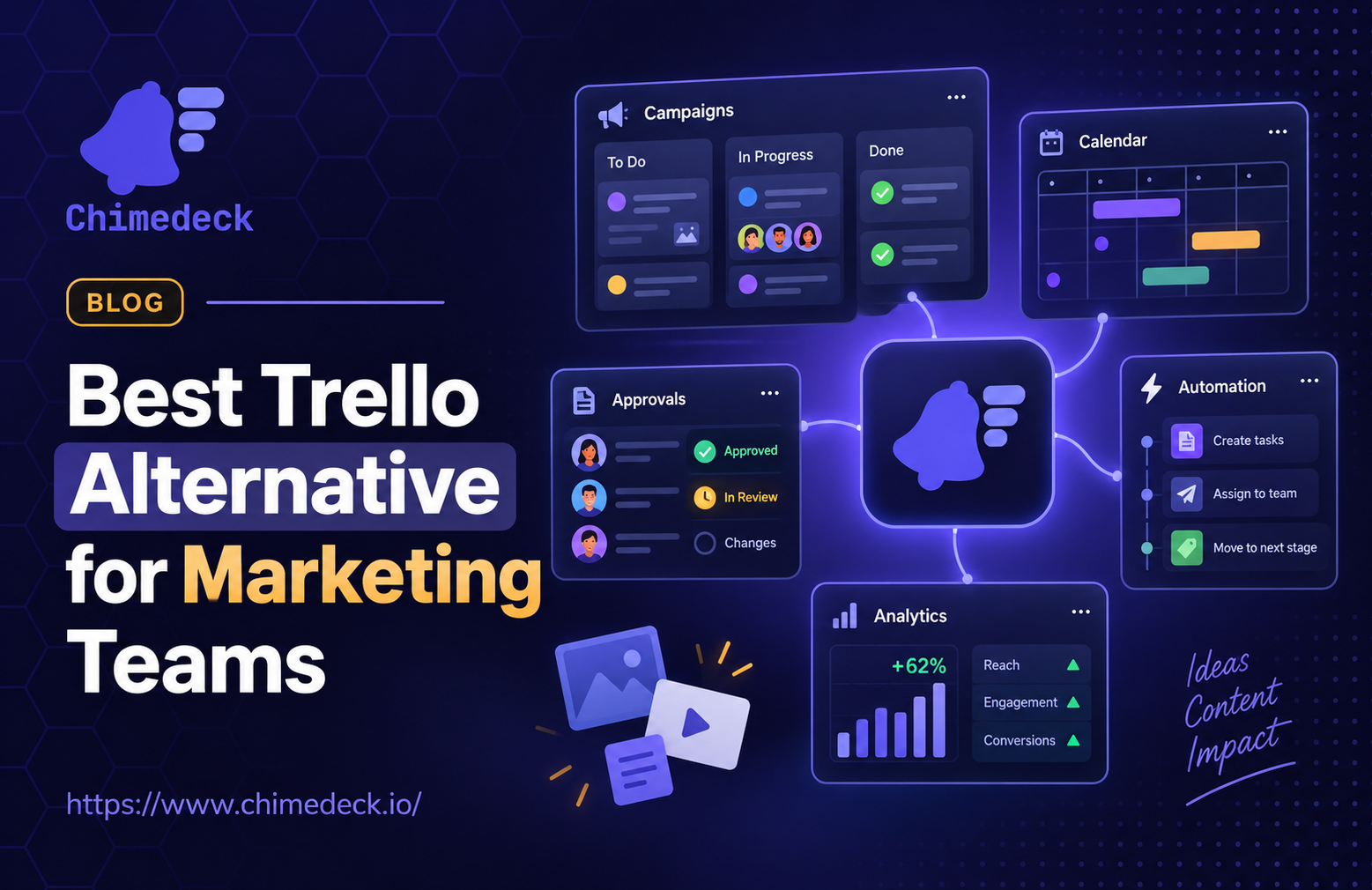
Marketing teams face a real problem. Trello started as a simple kanban tool, and it does that job well. But as teams grow, the limitations become obvious. You're managing campaigns across multiple timelines, coordinating with freelancers and vendors, tracking approvals and deliverables, and trying to automate repetitive work. Trello wasn't built for that complexity. Most teams find themselves juggling multiple Trello boards, exporting data into spreadsheets, and building custom workflows that don't actually exist in the tool. Then the per-seat pricing kicks in, and suddenly a simple board tool costs more than your actual project management software.
The market has evolved significantly since Trello's early days. Today's best trello alternative for marketing teams combines kanban simplicity with real workflow flexibility, automation capabilities, and cost structures that don't punish teams for growing. This article breaks down what matters when evaluating tools, what existing options offer, and where the real gaps are.
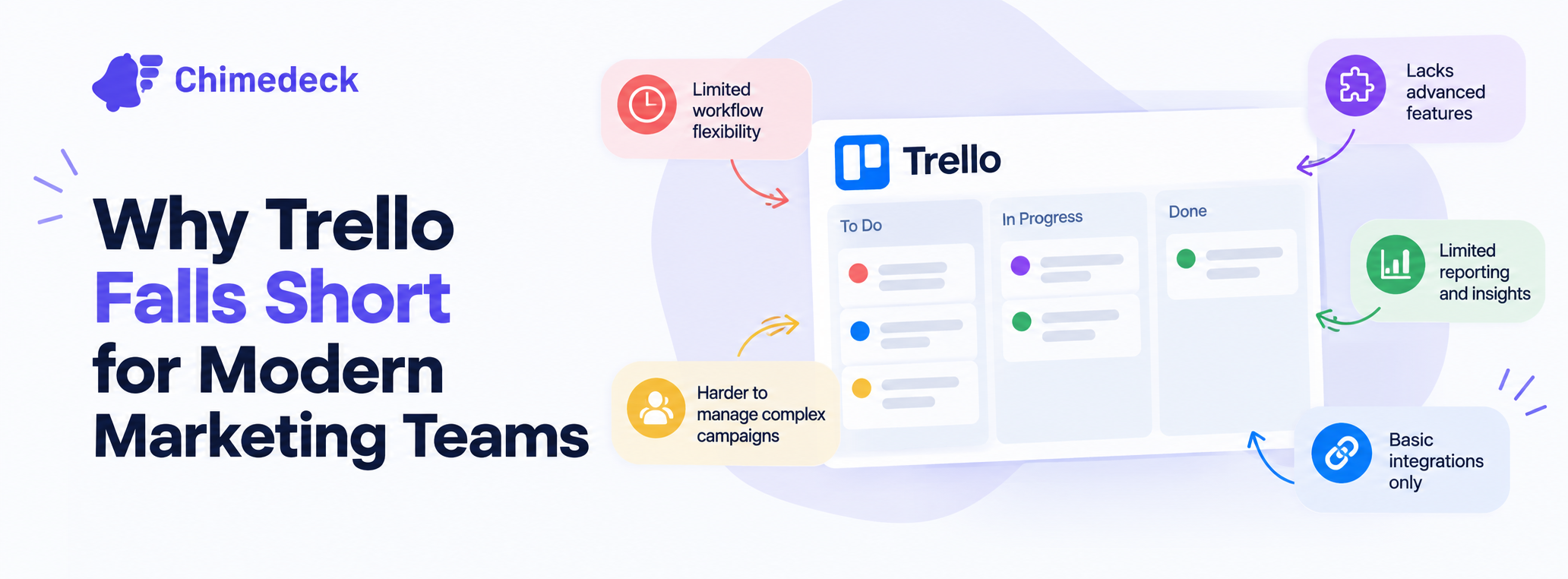
Why Trello Falls Short for Modern Marketing Teams
Trello is intuitive. Cards, lists, boards. Anyone can understand it in five minutes. That's its strength and its weakness. For teams running simple workflows, Trello works fine. But marketing operations are rarely simple.
Marketing teams manage multiple concurrent campaigns, each with different approval flows, resource constraints, and dependencies. A product launch might involve content teams, product teams, creative teams, and executives. Trello has no native concept of workflows, dependencies, or conditional logic. You can't automate "when this card moves to approved, assign it to production and set a deadline." You're managing those transitions manually, in your head, or in external spreadsheets.
The cost problem compounds this. Trello charges per seat. At $5 to $10 per user per month, a team of 20 might pay $1,200 to $2,400 annually. A team of 50 costs $3,000 to $6,000. That's before premium features. And if you need to bring in freelancers or cross-functional team members for a campaign? You're paying per person, not per project. Most teams end up creating a smaller core board and asking people to check in verbally or via email. Now you're back to managing state outside the tool.
The flexibility problem is architectural. Trello's model is fixed. You get boards, lists, and cards. You can add fields and labels, but the underlying structure doesn't adapt. If you need to move from waterfall approval flows to agile sprints mid-year, you rebuild. If you need to track budget allocation or resource utilisation alongside tasks, you're exporting to a spreadsheet. If you want to integrate with your existing stack (CRM, analytics platform, content hub), you're limited to basic webhooks and Zapier.
Many teams reach a point where they realise: Trello isn't the problem. It's that they've outgrown simple task tracking. They need a system.
What Makes a Better Alternative for Marketing Operations
When evaluating a task management tool to replace Trello, most teams focus on features. Does it have kanban? Yes. Does it have timelines? Yes. But feature checklists miss the real decision point.
The first criterion is cost model. Specifically, how the tool scales with headcount. Trello, Asana, and Monday.com all charge per user. That model made sense in 2014 when teams were smaller. Today, it's punitive. Marketing teams bring in contractors, agency partners, and stakeholders who only touch the system occasionally. Per-seat pricing means you're paying full price for part-time access. Tools that charge a flat rate for unlimited users, or based on project volume, align better with how teams actually operate.
The second criterion is workflow flexibility. Does the tool actually understand your approval flows? Can you set up conditional logic: "if design is approved, auto-assign to copywriting"? Can you create different workflow paths for different campaign types? Can you enforce approval gates without manual intervention? Simple kanban tools can't. More sophisticated platforms can.
Third is extensibility. Can you integrate with tools you already use? Can you write custom code, or is the tool locked to a fixed feature set? Open-source tools offer full code access. Proprietary SaaS tools offer APIs but within boundaries. The difference matters when you need custom reports, bespoke automations, or specific integrations.
Fourth is data ownership and deployment. Does the vendor control your data, or can you self-host? For regulated industries or companies with strict data policies, this is non-negotiable. For teams sensitive to vendor lock-in or concerned about long-term costs, it's important. SaaS-only tools offer convenience. Self-hosted tools offer control.
Fifth is operational sophistication. Beyond task tracking, can the tool help you optimise workflows? Do you get visibility into bottlenecks, cycle times, or resource utilisation? Trello shows you tasks. Better alternatives show you patterns.
None of these factors is "better kanban UI". That matters for adoption, but it's secondary to the underlying model.
The Real Problem with Per-Seat Pricing at Scale
Per-seat pricing has become a flashpoint in the SaaS world, and for good reason. It distorts how teams operate.
Consider a 50-person marketing agency. They have 20 full-time team members, 15 contractors, 10 client stakeholders, and 5 occasional collaborators. With Trello at $5 per user per month, paying for everyone with access is $300 per month, or $3,600 annually. That's a fixed cost that doesn't reflect actual work volume. If the agency takes on more clients, headcount grows. If they downsize, costs stay high because they've already paid for the month.
Per-seat models also create artificial constraints. Teams start asking: "Do we really need to add this freelancer to the board?" or "Can we just send this person a screenshot instead?" Now you're managing work outside the system. You lose visibility. Decisions slow down.
Unlimited-user or flat-fee models flip this. One team, one board, unlimited collaborators. A contractor working on a single campaign costs the same as a full-time employee. A stakeholder reviewing deliverables costs nothing in marginal seat fees. This aligns incentives: teams invite more input because more input doesn't cost more.
This isn't just a cost argument. It's a workflow argument. Better alternatives for marketing teams remove the seat constraint entirely.
What Modern Marketing Teams Actually Need from Their Tools
Strip away the buzzwords, and marketing operations need three core things.
First, visibility across concurrent work. Marketing teams work on multiple campaigns, timelines, and projects simultaneously. A tool needs to show what's in progress, what's blocked, what's waiting for approval, and what's due soon. Kanban boards are good for this. Timelines are better. Gantt charts give context. Dashboard views of everything at once are even better.
Second, workflow automation. Manual hand-offs kill productivity. A better alternative automates the repetitive parts: moving cards when approvals complete, notifying stakeholders when something is blocked, triggering next steps when a campaign phase ends, reassigning work based on availability. This requires conditional logic and integrations, not just manual card movement.
Third, integrations with the tools you already use. Marketing stacks are fragmented. You use a CRM, content management system, analytics platform, or design tools. The project management tool shouldn't exist in isolation. It should pull data from these sources and push data back. Trello can do this via Zapier, but crudely. Better alternatives have native integrations or APIs that support bidirectional sync.
Optional but valuable: cost tracking and resource allocation. When you're managing client budgets or allocating team capacity across campaigns, seeing spend and utilisation in the same tool matters. Trello can't do this. Better tools can.
The Deployment Question: Cloud Versus Self-Hosted
Every marketing team eventually faces this question: do we want the vendor to manage infrastructure, or do we want full control?
Cloud-hosted tools (Asana, Monday.com, etc.) offer simplicity. Someone else manages servers, backups, security updates, and scaling. You sign up and start using it. The trade-off is lock-in. Your data lives on their servers. You depend on their API for integrations. If they shut down, or change their model, you're affected.
A self-hosted trello alternative flips this. You run the tool on your infrastructure (private cloud, on-premise, or anywhere else). You control the data. You can integrate deeply because you control the code. You're not subject to vendor decisions. The trade-off is operational complexity. Someone needs to manage infrastructure. Updates require planning. You're responsible for security and backups.
For most growing teams, the hybrid approach makes sense. Start with cloud for simplicity, then migrate to self-hosted if you hit limitations. But some teams know from the start: they need control. Regulated industries, companies with strict data residency requirements, or organisations that have been burned by SaaS lock-in often prefer self-hosted options from the beginning.
This is where open-source alternatives matter. They let you choose deployment freely. Cloud, self-hosted, or hybrid. Your choice.
Why Philosophy Matters More Than Features
Most comparison articles list features. Kanban: yes. Timelines: yes. Automation: yes. But this misses why teams actually switch tools.
Teams switch because their tool's philosophy no longer matches their needs. Trello's philosophy is simplicity. That served early-stage teams well. But at scale, simplicity becomes a constraint. Asana's philosophy is comprehensive project management. That works until you realise you're paying for features you'll never use and the tool's opinionated structure doesn't fit your workflows. Monday.com's philosophy is visual customisation. That appeals to some teams but creates decision paralysis for others.
Better alternatives are built on different philosophies. Some are built on openness: here's the code, customise it to fit your needs. Some are built on flexibility: we provide a foundation, you build your workflows. Some are built on integration: we're the central hub, we connect to everything else you use.
When you're evaluating a trello alternative for marketing teams, the question isn't "does it have X feature?" It's "does this tool's underlying philosophy match how we want to work?"
A tool designed for unlimited users thinks differently about access and permissions than a per-seat tool. A tool built for self-hosting thinks differently about data and customisation than a SaaS-only tool. An open-source tool thinks differently about lock-in and long-term cost than proprietary software. These philosophies cascade through every decision: pricing, feature development, integrations, support, roadmap.
Making the Transition from Trello
Switching tools is painful. You have existing boards, cards, attachments, and history. You have team habits. You don't want to rebuild everything.
The practical path forward is gradual. Start a new project in the alternative tool. Run it alongside Trello for a sprint or two. Evaluate how it feels, whether the team adopts it, whether it actually handles your workflows better. If it works, migrate more projects. Keep Trello for archive access.
Most modern tools, including Chimedeck, offer import functionality for Trello boards. You can migrate data programmatically. You won't get every attachment or every comment, but the core structure moves. From there, you rebuild workflows in the new tool to take advantage of its actual capabilities rather than just replicating what you had.
The real cost of switching isn't data migration. It's training and habit-building. Teams are creatures of habit. If your tool changes, workflows change. That takes three to six weeks to stabilise. But if the new tool actually lets you work better, that friction is worth it.

Evaluating Open-Source Options
Open-source project management tools have improved dramatically. Projects like Focalboard, Wekan, Taiga, and Baserow offer solid kanban and workflow capabilities, and they're free to run.
The advantage is obvious: you control the code. You can customise anything. You're not locked in. The disadvantage is less obvious: you're responsible for maintenance. Updates, security patches, backups, scaling. If something breaks, you fix it. That's feasible for teams with engineering capacity. It's a burden for teams without it.
Some open-source alternatives offer managed hosting. You get the benefits of self-hosted (full control, no lock-in) without the operational complexity. Someone else manages infrastructure, but they're not storing your data on proprietary servers. This is increasingly the sweet spot for teams that want flexibility without the operations tax.
Chimedeck as a Platform for Scalable Marketing Operations
This landscape brings us to a different kind of tool. Chimedeck is built on a different premise than Trello. It's an open-source workflow platform designed for teams that have outgrown simple task tracking but don't want the cost or inflexibility of traditional SaaS.
The core idea is that unlimited users should be the default, not a premium tier. Marketing teams bring in collaborators constantly. Budget shouldn't depend on headcount. Chimedeck's model treats collaboration as unlimited and cost as predictable.
The second principle is workflow flexibility. Trello gives you cards and lists. Chimedeck lets you build actual workflows. Approval gates, conditional routing, automated task generation, dependency mapping. This matters when you're coordinating complex campaigns with multiple stakeholders and approval flows.
The third is openness. Chimedeck is open-source. You can self-host, customise, and integrate deeply. You're not locked into someone else's roadmap. You can extend the platform to fit your specific workflows rather than adapting your work to fit the tool.
The fourth is cost efficiency. Because unlimited users are built in and you control deployment, costs don't compound with team size or project volume. For growing agencies and teams managing complex, multi-stakeholder work, this becomes a significant advantage as you scale.
For marketing teams specifically, this means you can build boards that actually reflect your workflows: campaign approvals, content calendars with automation, resource allocation across multiple clients, and integrations with the tools you already use. You're not fighting the tool's philosophy. You're working with it.
Chimedeck - MCP Task Management Platform
Chimedeck is a modern workflow and project management platform positioned as an alternative to traditional task management tools. Built as open-source software with unlimited user access and flexible deployment options, Chimedeck enables teams to manage complex workflows without per-seat pricing constraints. The platform combines kanban-style task boards with workflow automation, making it particularly suited for marketing teams, agencies, and organisations requiring scalable operations and deep customisation. By supporting both cloud and self-hosted deployment models, Chimedeck provides teams control over data while maintaining the flexibility needed for modern collaborative work.