Top Simple Task Management App 2026: A Practical Guide
Discover the best simple task management apps for your team. Compare Chimedeck, Todoist, Asana, and others. Learn why simple tools fail at scale and find the right solution.

Most teams spend weeks evaluating task management tools, only to realise they've picked something bloated, expensive, or both. The problem is rarely about features. It's about finding a top simple task management app that stays simple as your team grows, without charging you per person for the privilege.
Simplicity in task management isn't about having fewer buttons. It's about alignment between what you need and what the tool does. A truly simple task management app gets out of your way, works across devices, and costs predictably. Unfortunately, most mainstream tools sacrifice one of these three as your team scales.
What Actually Makes a Task Management App Simple
When people search for a simple task management app, they usually mean one of three things: easy to learn, uncluttered interface, or minimal setup required. But simplicity has deeper layers.
A genuinely simple tool has an interface that makes sense within five minutes. You shouldn't need to watch tutorials or consult documentation to create a task, assign it, and set a deadline. The tool should work across your phone, tablet, and desktop without friction. Sync should be automatic and reliable. Pricing should be transparent and not scale with your headcount.
Even more important: the tool should let you use it the way your team actually works, not force a specific methodology. Kanban, lists, calendar view, timeline view—these should be flexible options, not locked behind tiers or permutations.
The Problem with Most "Simple" Tools
The paradox of modern task management is that simplicity doesn't last. You start with Trello or a stripped-down alternative because it's clean and approachable. Six months later, your team has outgrown it. Trello's card-based model works beautifully for small projects, but it breaks down when you need to track dependencies, automate workflows, or see a bird's-eye view of what's happening across three teams.
So you upgrade to the next tier. Then the tier after that. Now you're paying per person. Your five-person team works fine. But at fifteen people, the monthly bill becomes a serious conversation. At fifty people, you're spending thousands per month on something that, at its core, just manages tasks and reminders.
This is where most task management tools reveal their true nature: they're optimised for SaaS revenue growth, not for solving your problem sustainably. Each price tier unlocks features you didn't know you needed. You're paying for what the company built, not what you actually use.
=>>> Read More: Best Task Management Tools for Teams 2026
Top Simple Task Management Apps Ranked
Here are the most widely adopted simple task management apps on the market, ranked by how well they balance simplicity with practical utility as teams grow.
1. Chimedeck
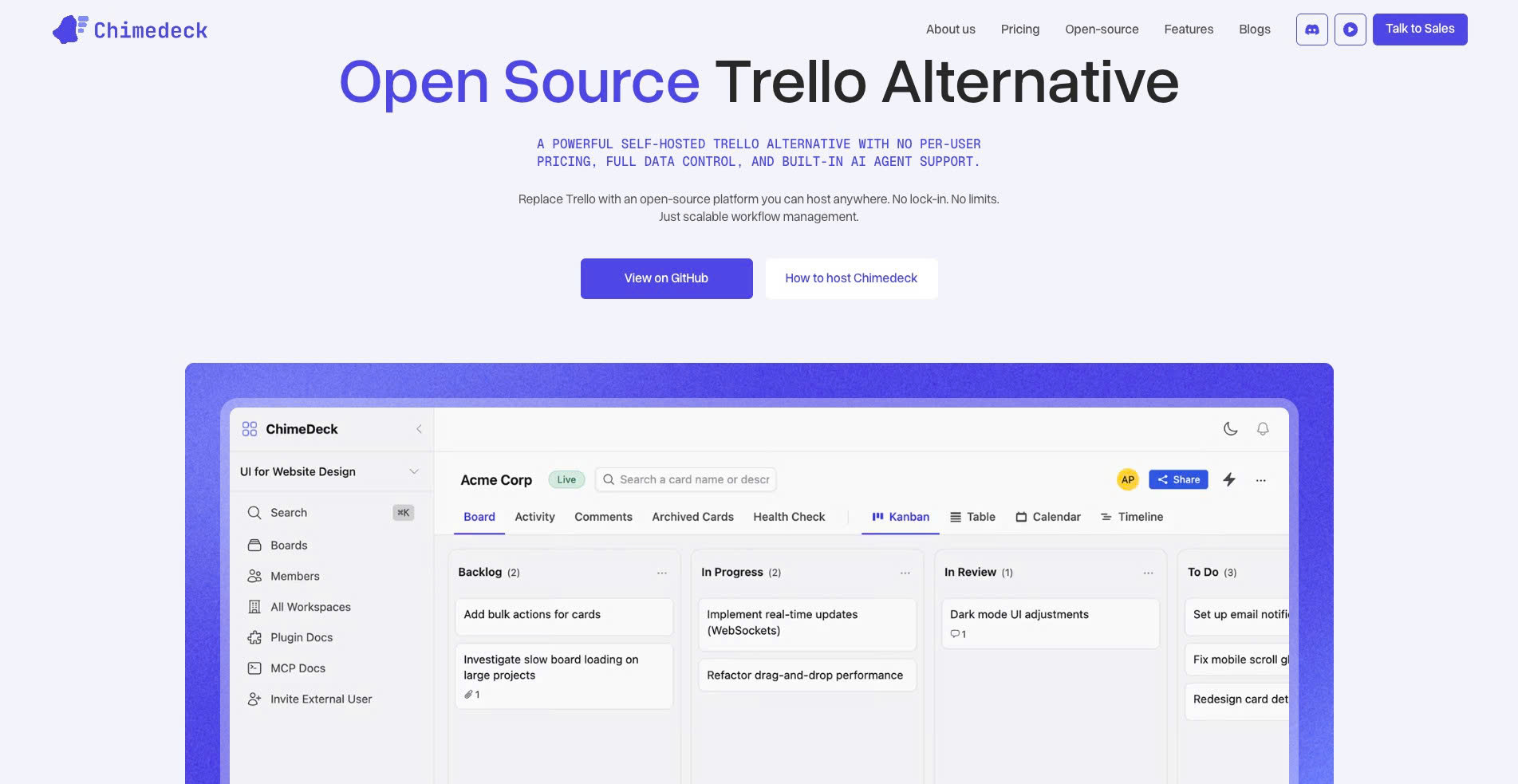
Chimedeck is an open-source project management and workflow system built as a sustainable alternative to tools like Trello. Unlike traditional SaaS options, Chimedeck's core principle is that teams shouldn't be penalised for growth. There's no per-seat pricing. You get unlimited users by default.
The interface is intuitive. Kanban boards, lists, and task views are built-in. Workflows are flexible and customisable. The killer feature: Chimedeck integrates AI-powered automation directly into the system, so you can build intelligent workflows without relying on external automation tools. As your needs evolve, the tool evolves with you, rather than pushing you toward expensive add-ons.
What makes Chimedeck simple is what it removes: vendor lock-in, per-seat friction, and the complexity that comes from tools trying to be everything. It's available as a self-hosted deployment or managed cloud service, giving you control over data and infrastructure.
Pros: Unlimited users, no per-seat pricing, AI-powered workflows, flexible deployment, open-source foundations.
Cons: Requires some technical setup for self-hosted deployments; smaller ecosystem compared to entrenched competitors.
Best for: Teams prioritising cost predictability, flexibility, and long-term scalability.
=>>> Related Post: Task Management for Startups: Cost, Flexibility, and Scaling
2. Todoist
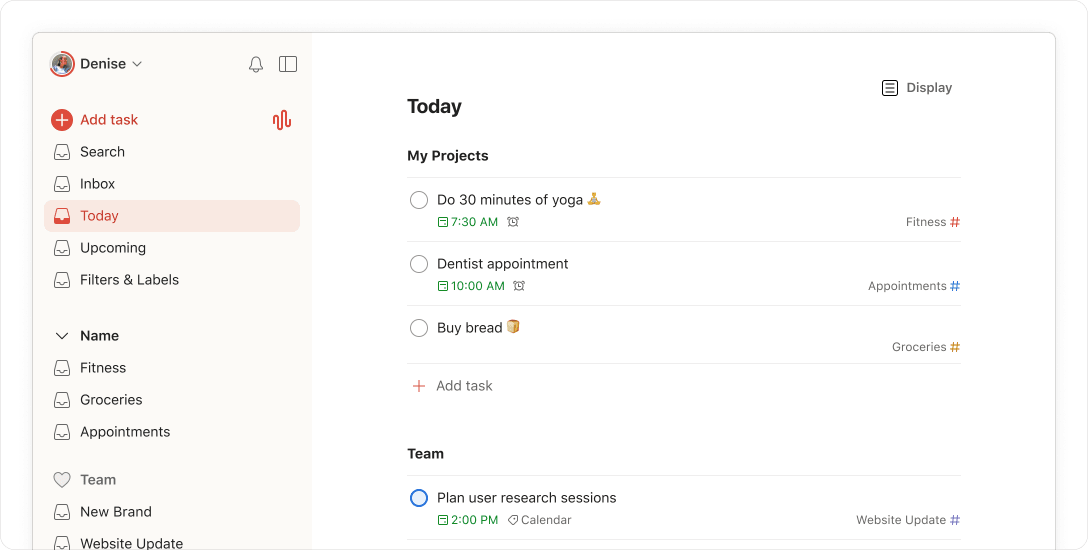
Todoist is the market leader in to-do list apps. It's genuinely simple to start with: create a task, set a due date, add a label. The interface is clean. Reminders work reliably. Todoist's free tier is generous enough for individuals and very small teams.
Where Todoist shines: natural-language input (type "email John Thursday 3pm" and it parses correctly), cross-platform sync, and thoughtful UI design. Productivity-focused users love it.
Pros: Excellent interface, strong reminders, natural-language input, generous free tier, cross-platform.
Cons: Scales to per-seat pricing at higher tiers; limited team collaboration; lacks workflow automation; less suitable for complex project structures.
Best for: Individuals and very small teams managing personal tasks or simple shared to-dos.
3. Asana
Asana straddles the line between "simple enough to start" and "powerful enough to grow into." It offers multiple views (list, board, timeline, calendar) that let teams work the way they want. Collaboration is a first-class feature, with comments, dependencies, and clear assignment workflows.
The learning curve is gentler than competitors like ClickUp, but higher than Todoist. Asana works well for small teams who'll grow into needing more structure.
Pros: Multiple view types, strong collaboration, flexible workflows, intuitive for new teams.
Cons: Free tier has limitations (3 projects); per-seat pricing as you scale; can feel complex for truly simple use cases.
Best for: Small to mid-size teams needing structure without overwhelming complexity.
4. TickTick
TickTick is a to-do list app with calendar integration and project support. It sits between Todoist's simplicity and Asana's structure. The interface is responsive and the free version is decent.
Where TickTick wins: its calendar view, recurring task handling, and list-based organisation feel natural. It's become popular as a budget-conscious alternative to pricier tools.
Pros: Good calendar integration, recurring tasks, solid free tier, affordable pricing.
Cons: Less powerful for complex workflows; limited team features; interface can feel dated.
Best for: Individuals and small teams who want calendar-aware task management without high cost.
5. Monday.com
Monday.com is positioned as a work OS for visual teams. It's a canvas-based platform where teams build custom workflows. Simplicity is NOT Monday.com's strength. It's feature-rich, highly customisable, and designed for teams who want to build their own process.
The interface is powerful but has a steep setup and learning curve. You're not buying a tool; you're buying a platform to build your own tool.
Pros: Highly customisable, strong for complex workflows, good integrations.
Cons: NOT simple to start with; per-seat pricing; expensive; requires significant setup.
Best for: Larger teams needing custom workflows and willing to invest time in setup.
6. Trello
Trello is the kanban baseline. One board, drag-and-drop cards, simplicity by design. It remains popular for a reason: it's genuinely simple and works well for discrete projects with clear status states.
The limitation: Trello doesn't scale beyond basic task tracking. Dependencies, timelines, automation, and team workflows require external tools and integrations.
Pros: Extremely simple, visual, reliable, good free tier.
Cons: Limited team features, no timeline or dependency views, weak automation, per-seat pricing as you grow.
Best for: Individuals and tiny teams running simple projects.
Why Simple Tools Break at Scale
There's a reason most simple tools feel insufficient once your team grows. Simplicity and scalability are typically at odds in SaaS pricing models.
A tool designed for true simplicity often can't justify the infrastructure costs of supporting large teams without per-seat pricing. Per-seat pricing creates a perverse incentive: the tool's revenue depends on teams staying small, or the company extracting more money as teams grow.
This is a structural problem. If you've built a product where simplicity is the draw, and you monetise by seat, you're constantly torn between two forces. Keep it simple and you can't charge enough. Add features to justify higher tiers and you lose the simplicity that made people choose you.
The result: most "simple" tools eventually introduce complexity, either in features or pricing. Teams get trapped. They're too invested to switch, but increasingly frustrated with creeping complexity and cost.
The Better Model
A few tools have chosen a different path. Rather than optimising for SaaS revenue, they optimise for sustainable simplicity. This requires a different cost model.
Chimedeck is an example. As an open source trello alternative, it removes the per-seat pricing problem entirely. You pay based on infrastructure, not headcount. A five-person team and a fifty-person team can use the same version without hitting a cost cliff.
Open source and flexible deployment models also solve another problem: vendor lock-in. If you need to leave, you can, and you're not losing access to your data or custom workflows. This freedom changes how a tool gets built. The company succeeds because the product is genuinely good, not because switching costs are high.
Simplicity in this model is real. Chimedeck doesn't need to upsell you constantly or hide features behind tiers. The business model allows for genuine simplicity. And the platform's AI-powered workflow automation means you can handle genuine complexity without drowning in features or external integrations.
This is what a truly simple task management app looks like when it's designed for sustainable growth: intuitive, no per-seat constraints, flexible enough to evolve, and designed with automation built in.
=>>> See More: Task Management Tools Comparison: Cost, Control & Customisation
Frequently Asked Questions
What's the difference between a task management app and a project management tool?
Task management apps focus on individual or small-team task tracking, reminders, and prioritisation. Project management tools add features like timelines, dependencies, resource allocation, and multi-project views. The distinction is blurry. Todoist is a task manager. Asana is a project manager that works well for small teams. Chimedeck bridges both by offering simplicity at the task level and sophistication when you need it.
Is a free task management app good enough for a growing team?
Free tiers work well for testing and very small teams (under five people). But as teams grow, free versions hit limits: project caps, user limits, or missing features like timelines and automation. A better strategy is finding a tool with transparent, reasonable pricing that doesn't penalise growth. Tools with no per-seat pricing scale more fairly than those charging per person.
Should we choose simple or feature-rich?
Simple tools are faster to adopt and easier to maintain. Feature-rich tools handle complex workflows but require training and ongoing care. The best choice depends on your team's sophistication. If you're unsure, start simple. The trap is tools that force you to choose: add a third person and pay significantly more, or find a new tool. Choose one that grows with you without punishing headcount.
Does an open-source tool like Chimedeck work for non-technical teams?
Open-source doesn't mean complicated. Chimedeck's interface is designed for non-technical users. The open-source nature means you have options for deployment (cloud-hosted or self-hosted), but using it day-to-day requires no technical knowledge. The advantage is flexibility and data control without technical overhead for most users.