How to Choose a Free Online Project Management App for AI Enabled Teams
Discover why most free project management apps fail scaling teams. Compare costs, features, and find tools designed for your workflow—including alternatives built for AI-assisted work.

A free online project management app can look like an easy operational decision. Create a workspace, invite the team, build a few boards, and start assigning work. The difficulty appears later, when the company grows, workflows become more specialised, and automation starts touching real delivery processes.
At that point, the important question is not whether the app is free today. It is whether the system can remain practical when more people, more projects, more integrations, and AI agents depend on it.
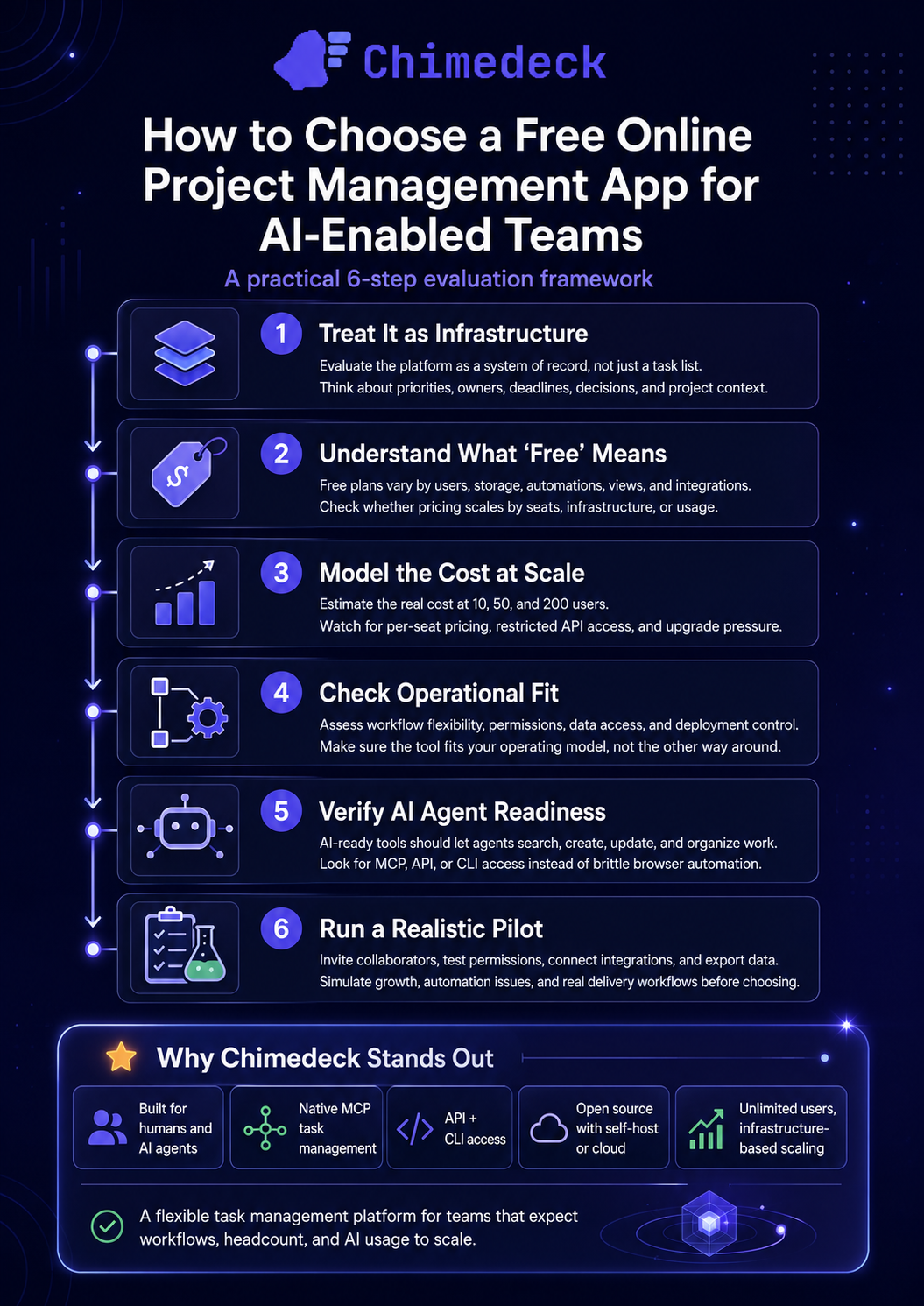
Founders and operators should evaluate free project management software as infrastructure, not just as a digital task list. The tool becomes a system of record for priorities, decisions, responsibilities, deadlines, and project context.
If it is difficult to access outside the interface, expensive to scale, or impossible to adapt to internal processes, the initial saving can create a larger operational cost later.
What “free” actually means in project management software
Free plans are not all designed around the same economic model. Some platforms provide a permanent entry plan but restrict users, projects, storage, automations, views, or integrations.
Others make the software available as open source, which removes the licence cost but leaves hosting and maintenance to the organisation. A smaller group offers free cloud access while charging for higher infrastructure capacity rather than each additional user.
This distinction matters because the cost of a project management system usually grows through headcount, capability, or operational dependence. Per seat pricing can turn an affordable tool into a significant annual expense once contractors, clients, and cross functional teams need access.
Important views, permissions, reporting, automation, and API usage may also sit behind higher plans. Once a company has built years of process and data inside a closed platform, migration becomes difficult even when the pricing or product direction no longer fits.
A useful evaluation should include the likely cost at 10, 50, and 200 users, not only the current monthly bill. Teams should also ask what happens when they need programmatic access, custom deployment, internal integrations, or an AI agent that can work directly with project data.
=>>> Read More: Best Free Online Project Management App in 2026
Evaluating a free online project management app beyond the interface
Most established tools are capable of managing tasks. Trello is effective for simple visual boards. Asana supports structured cross functional planning. ClickUp and Monday.com provide broad work management capabilities. Notion combines documents and databases. Linear is focused on software product development.
The differences become more meaningful when the tool needs to fit the operating model rather than the other way around.
For a small team, interface quality and ease of adoption may be the priority. For a growing agency, unlimited collaboration and client access may matter more. For a technical company, API coverage, command line access, data ownership, and deployment control may become essential.
For a team adopting agents, the central issue is whether the agent can retrieve current context and make authorised changes without brittle browser automation or a collection of custom connectors.
A practical selection process should assess cost at scale, workflow flexibility, data access, deployment control, and agent access. A platform with a generous free plan but limited API access may work for manual coordination while becoming unsuitable for automated operations.
A feature rich SaaS platform may serve one department well but become expensive when the whole organisation needs visibility. An open source system may offer more control but require technical ownership.
Why AI changes the project management decision
Many project management products now include AI features, but the implementation model matters. A writing assistant that summarises a task description is useful, yet it does not make the workspace operationally accessible to agents.
A more meaningful model allows an authorised agent to search tasks, retrieve project context, create cards, update fields, add comments, move work between stages, and organise workflows based on current information.
This is where the Model Context Protocol becomes relevant. MCP provides a standard way for compatible AI systems to access tools and data sources.
In a project management context, an MCP connection can expose structured task operations to an agent. The agent does not simply generate text for a human to copy into a board. It can work within the same controlled workspace as the team.
Consider a product launch. A human operator might ask an agent to review the launch board, identify cards without owners, summarise blocked work, create follow up tasks from a meeting brief, and add comments requesting missing information.
This requires access to live project context and permission to perform specific actions. It is substantially different from pasting a project summary into a general chatbot.
Chimedeck is designed around this shared workspace model. Its task management features support familiar planning through boards, tasks, comments, assignments, dates, and multiple views.
MCP compatible agents can access the same operational environment through defined tools. Teams can also use API and CLI access when building integrations, internal utilities, or developer workflows.
The trade off between SaaS convenience and operational control
Closed SaaS tools are attractive because setup is fast and infrastructure is managed. For many teams, that is the correct choice.
The trade off is that pricing, data location, product limits, and integration patterns remain controlled by the vendor. Customisation is usually restricted to the configuration options and APIs the vendor provides.
Open source project management systems change that relationship. The organisation can inspect the code, deploy the system on its own infrastructure, adapt integrations, and retain more control over operational data.
This flexibility has a cost. Self hosting requires responsibility for deployment, backups, security updates, and reliability. Teams without technical capacity may prefer managed hosting even when the underlying platform is open source.
Chimedeck supports both approaches. Teams can review its open source deployment model and use self hosting when control is important, or choose managed cloud hosting when operational simplicity matters more.
The public Chimedeck repository on GitHub also gives technical teams a direct view of the product architecture rather than requiring them to assess a closed system only through marketing claims.
When unlimited users matter more than premium features
Per seat pricing can create process distortion. Teams delay inviting contractors, keep clients outside the workspace, share accounts, or move discussions into email because every additional participant increases the bill.
The project management system then stops being a complete representation of the work.
Unlimited user models are particularly useful for agencies, distributed companies, open source projects, service teams, and operations involving temporary collaborators.
The financial model is easier to forecast because cost is tied to infrastructure or usage rather than the number of people who need context.
Chimedeck’s pricing and hosting options are structured around infrastructure rather than per seat charges.
This does not mean the platform has no operating cost. Cloud resources, storage, support, and maintenance still have value. It means headcount growth does not automatically become a software licence penalty, which can be more aligned with how collaborative work scales.
Choosing the right model for your team
A conventional SaaS tool is often the best fit when the team wants immediate setup, mature reporting, a large template library, and broad integrations.
Asana or Monday.com may suit organisations with established portfolio reporting and standardised business workflows. ClickUp may appeal to teams that want many functions inside one product. Notion can work well when documentation and lightweight project databases need to live together. Linear remains strong for product and engineering teams that value speed and opinionated issue tracking.
An agent accessible, open source platform is more appropriate when task management needs to connect directly with technical systems and AI operations.
This includes teams that want an agent to act on work, not merely discuss it, as well as organisations that need self hosting, custom integrations, source access, or predictable collaboration costs.
Before selecting a free online project management app, run a realistic pilot. Include the workflows likely to become difficult, not only the simple board setup.
Invite external collaborators, test permissions, connect the API, export data, simulate an automation failure, and estimate the cost at the next stage of growth.
For agent use, verify exactly what the AI can read and change, how permissions are enforced, and whether actions remain visible to human operators.
Chimedeck - MCP task management platform
Chimedeck positions project management as operational infrastructure for humans and AI agents. It combines familiar task planning with native MCP task management, allowing authorised agents to search work, retrieve context, create cards, update tasks, add comments, and organise workflows in the same environment as the team.
Its open source architecture, unlimited users, API and CLI access, plus cloud and self hosting options, make it a flexible and cost efficient choice for organisations that expect their workflows, headcount, and use of AI agents to scale.